/tellraw Generator for Minecraft
Type a message, select words and colour them with the buttons above the text. Below you get a /tellraw command that shows this message in the chat.
How to use the command in game
- 1Turn on commands
In a single-player world, press Esc, choose "Open to LAN", turn on "Allow Commands" (called "Allow Cheats" in older versions) and click "Start LAN World". On a server, only an operator (op) can run commands.
- 2Paste the command into the chat
Copy the command with the button above. In game, press T, paste it with Ctrl+V and press Enter.
- 3
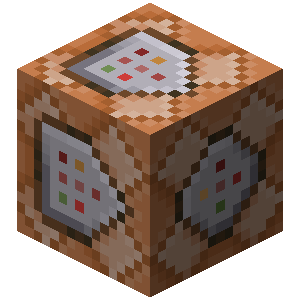 Long command? Use a command block
The chat fits up to 256 characters. For a longer command, get a command block with /give @p command_block (you need Creative Mode), place it and right-click it. Paste the command into the top field, click "Done", put a lever next to the block and switch it on.
Description
The /tellraw command posts a message in chat in any colour and style. There is no need to write JSON by hand: type the text in the editor, as in any text editor, and copy the finished command. The editor supports:
Text formatting: bold, italic, underlined, strikethrough and obfuscated (magic) text. Combine them freely to build your own look.
Special characters. Insert the special characters Minecraft supports directly into your text.
Minecraft colours and the hex colours added in 1.16. The palette offers three colour models — RGB, HSV and hex. Select some text, pick a colour, and the editor converts it into the form the game expects.
Gradients. Add, move and recolour the gradient's key points, or remove the ones you do not need. The text updates as you change the settings, so it is easy to land on the look you want. Apply your changes to commit the gradient.
Hover tooltips. Configure what appears when a player hovers over the text. A tooltip can show either text or an item.
Click actions. Make the text interactive. A click can open a link, run or suggest a command, or copy text to the clipboard.
Insertion text. Set a message that is inserted into the player's chat box when they Shift-click the text.
Keybind. A dynamic element that is replaced with the name of the key bound to the action you choose. It follows each player's own control settings and language.
Selector. A dynamic element that is replaced with the entities matching the selector you choose. When several entities match and the selector sets no target limit, their names are joined by a separator you can change.
Translatable text. A dynamic element that is replaced with a localised string looked up by key in the game's language files or in a resource pack. You can supply fallback text to use when no translation exists for the key.
Preview. Replaces every dynamic element with a plausible value, so you can see the message roughly as players will.
Templates
Save your work as a template to load, reuse or edit later. Templates live in your browser's storage and are completely private — clearing the site's data removes all of them.
Worth knowing
A generated command can be too long to type into chat, which is limited to 256 characters (100 before 1.11). For anything longer, paste the command into a command block and power it with a lever or button. Note that the @s selector does not work in command blocks — swap it for another selector so the command behaves.
How do you make coloured chat text in Minecraft?
Chat colour does not come from the text itself but from the /tellraw command, which takes JSON where every span of the string carries its own colour, bold, italic and underline. Assembling that JSON by hand is slow and easy to get wrong, so type your text in the editor above, select the parts you want, give them a colour, and copy the finished command into a command block or the chat. Works on Minecraft: Java Edition 1.16 and above, where arbitrary HEX colours are available.