/give Generator for Minecraft
Pick an item, give it a name and a description, and add enchantments. A ready /give command appears below: copy it and paste it into the game.
How to use the command in game
- 1Turn on commands
In a single-player world, press Esc, choose "Open to LAN", turn on "Allow Commands" (called "Allow Cheats" in older versions) and click "Start LAN World". On a server, only an operator (op) can run commands.
- 2Paste the command into the chat
Copy the command with the button above. In game, press T, paste it with Ctrl+V and press Enter.
- 3
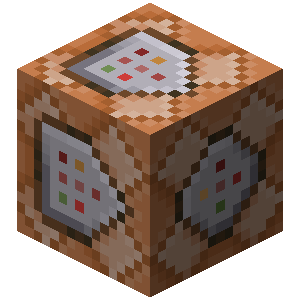 Long command? Use a command block
The chat fits up to 256 characters. For a longer command, get a command block with /give @p command_block (you need Creative Mode), place it and right-click it. Paste the command into the top field, click "Done", put a lever next to the block and switch it on.
Description
The /give command puts an item straight into your inventory. Here you can give it your own name, colour that name, add a description and enchantments, then paste the finished command into chat or a command block. Any item in the game works.
Enchantments. By default the tool lists only the enchantments vanilla Minecraft allows on the selected item. Press Show all enchantments if you need one that does not normally apply. Turn on the glint if all you want is the enchanted shimmer on the item's icon.
Custom name and lore. Rewrite the item's name and description in the text editor, with the full set of text features: formatting styles, special characters, keybinds, translatable text and gradients. Use a standard Minecraft colour or your own hex colour. Press preview to replace the dynamic elements — keybinds and translatable text — with plausible values.
Durability. Items that wear out — tools, armour and so on — can be made unbreakable, or given existing damage.
Hidden tooltips. Some changes, such as enchantments or unbreakability, add lines to an item's tooltip. Choose which of those lines to hide.
Dedicated editors. The fields you see depend on the item you pick. Purpose-built editors currently exist for:
- Signs
- Books
Templates
Save your work as a template to load, reuse or edit later. Templates live in your browser's storage and are completely private — clearing the site's data removes all of them.
Worth knowing
A generated command can be too long to type into chat, which is limited to 256 characters (100 before 1.11). For anything longer, paste the command into a command block and power it with a lever or button. Note that the @s selector does not work in command blocks — swap it for another selector so the command behaves.
How do you give an item with /give in Minecraft?
The basic form is /give <player> <item> <count>, but everything interesting lives in the NBT tag after the item name: enchantments, a custom name and lore, leather armour colour, flags that hide tooltips. That is where the command usually breaks — one missing brace or quote and the game silently refuses it. Build the item in the generator above: it shows the item as a player will see it and hands you the command with correct NBT already in place.