
Public lobbies and chat in update 2.3.5
Co-op now has public lobbies and a chat, and mods, resource packs and shaders live in one catalog where you can pick a version before installing.
 English
Co-op is the main focus of this update. Until now, the only way into a lobby was a link from a friend. Now you can find people to play with right in the launcher and agree on the plan in chat without switching to a messenger. The modpacks section also became a catalog, where mods, resource packs and shaders sit next to modpacks.
Public lobbies
A lobby can now be public. When you create one, tick "Public lobby" and it goes into the list of open lobbies. Any player can join it, not only the people you sent the link to. You don't need to come up with a name. The lobby shows up in the list with the name and picture of your installation.
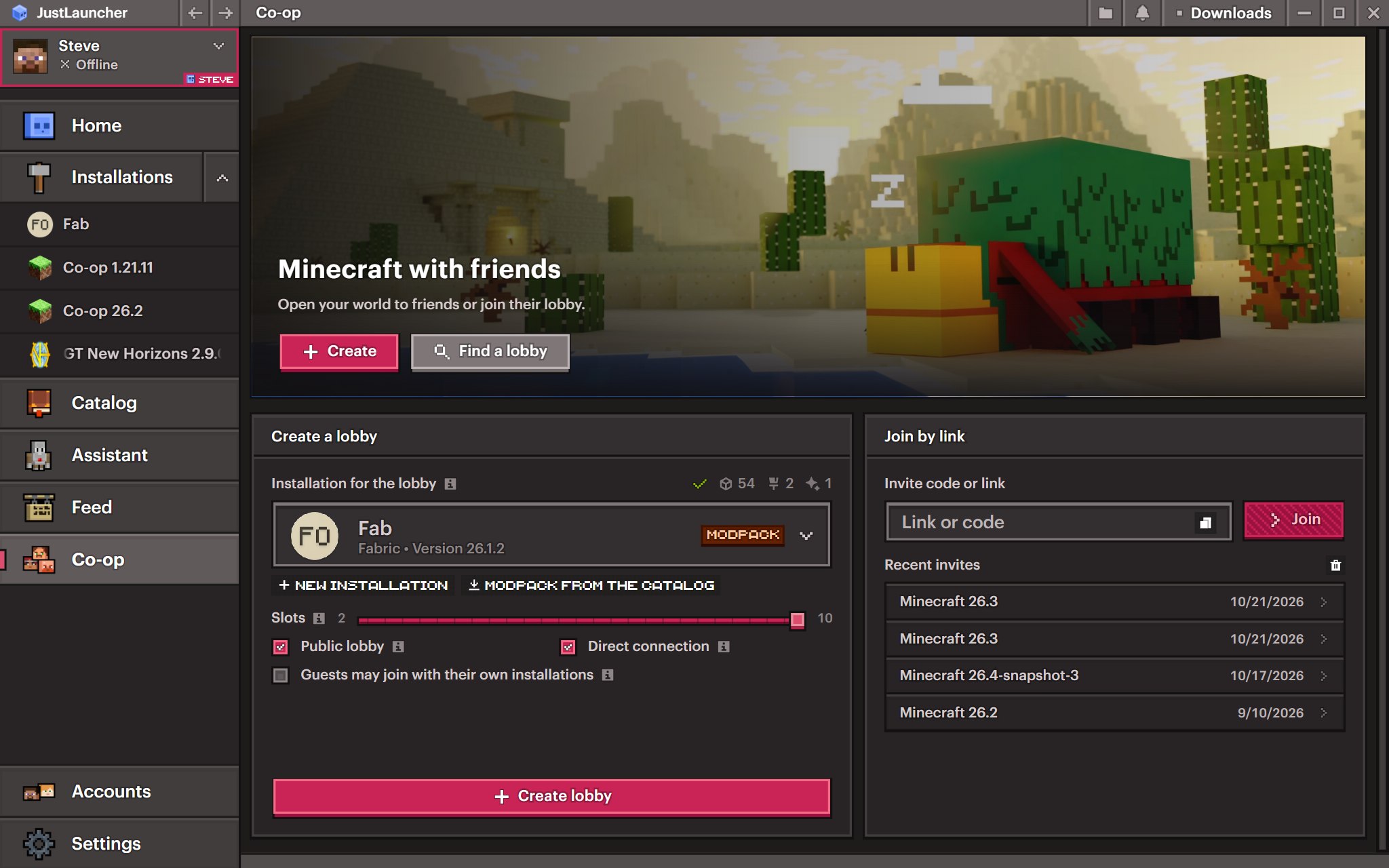
To find someone to join, click "Find a lobby" on the Co-op page. The list of open lobbies shows the modpack, the host's nickname, the Minecraft version, the mod loader, how many players are already inside and how long the lobby has been open. You can search by modpack name or host nickname, and filters keep lobbies of the version and loader you need, or only the ones with free slots. You can sort by newest, player count or slot count, and the list refreshes on its own.
Found one you like? Click "Join". Just like when you join by link, the launcher checks that your installation fits the lobby.
As before, co-op needs a JustLauncher account.
Lobby chat
You can now agree on what to play and when to join right inside the lobby. Click the chat icon on the player card, and the card flips over to show the chat. If someone writes while you are looking at the player list, a red dot lights up on the icon.
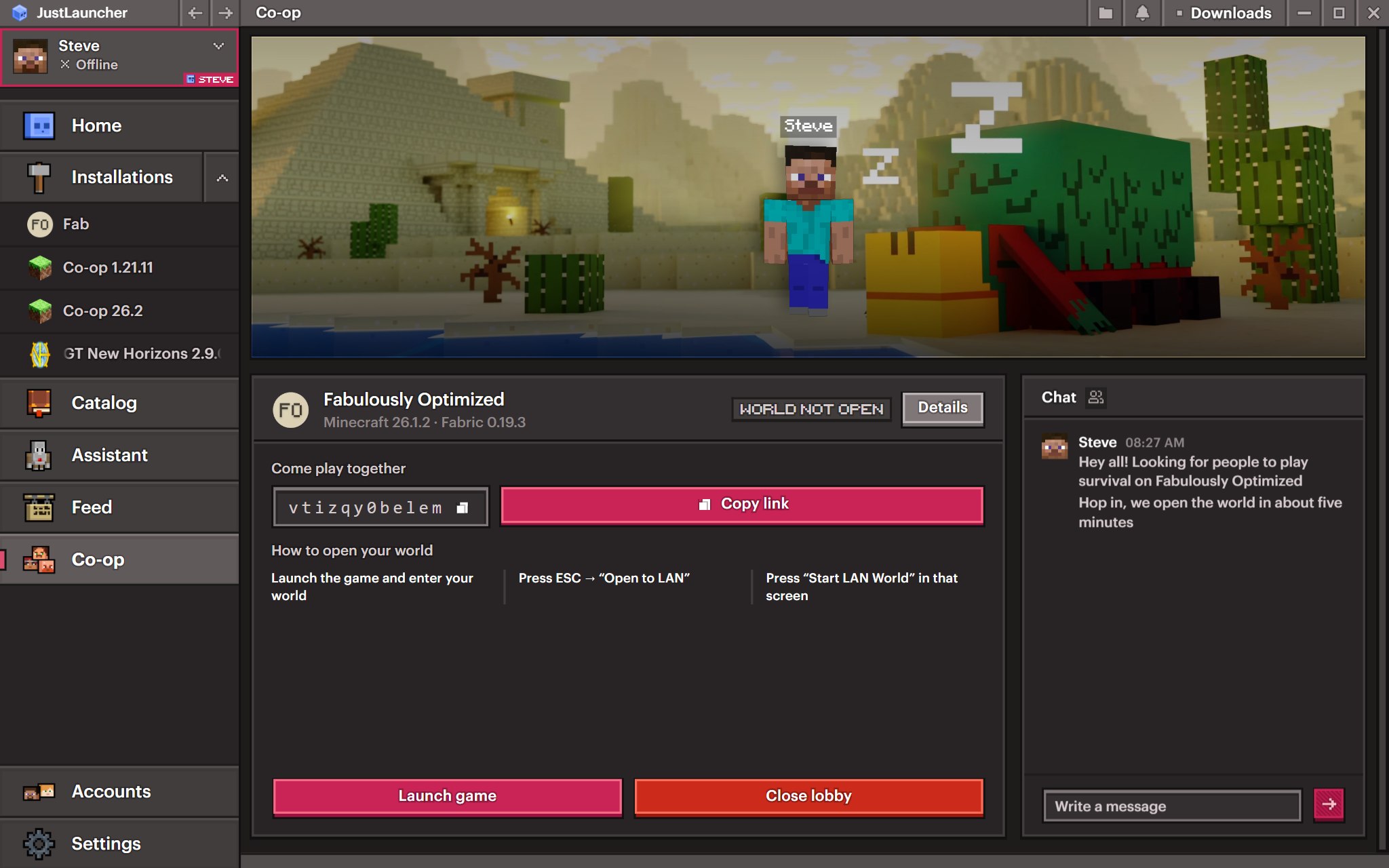
Everyone in the lobby can write in the chat. A message holds up to 300 characters. Enter sends it, and Shift+Enter starts a new line. Anyone who joins later sees the last few messages. When you leave the lobby, the chat is cleared.
How many players fit in a lobby
When you create a lobby, you can now choose how many slots it has. The "Slots" slider goes from 2 to 10 players.
Lobbies also used to run into a limit in the game itself. A Minecraft world opened to the network lets in no more than eight players, and the server list showed the lobby as x/8. Now the launcher lifts that limit on the host's side. The lobby fits as many players as you chose, and the server list shows the real number of slots.
Catalog
The "Modpacks" section is now the "Catalog". Modpacks, mods, resource packs and shaders sit on four separate tabs, so you can search for everything in one place without opening an installation. Mods, resource packs and shaders install straight from the catalog. The launcher only asks which installation to put them in.
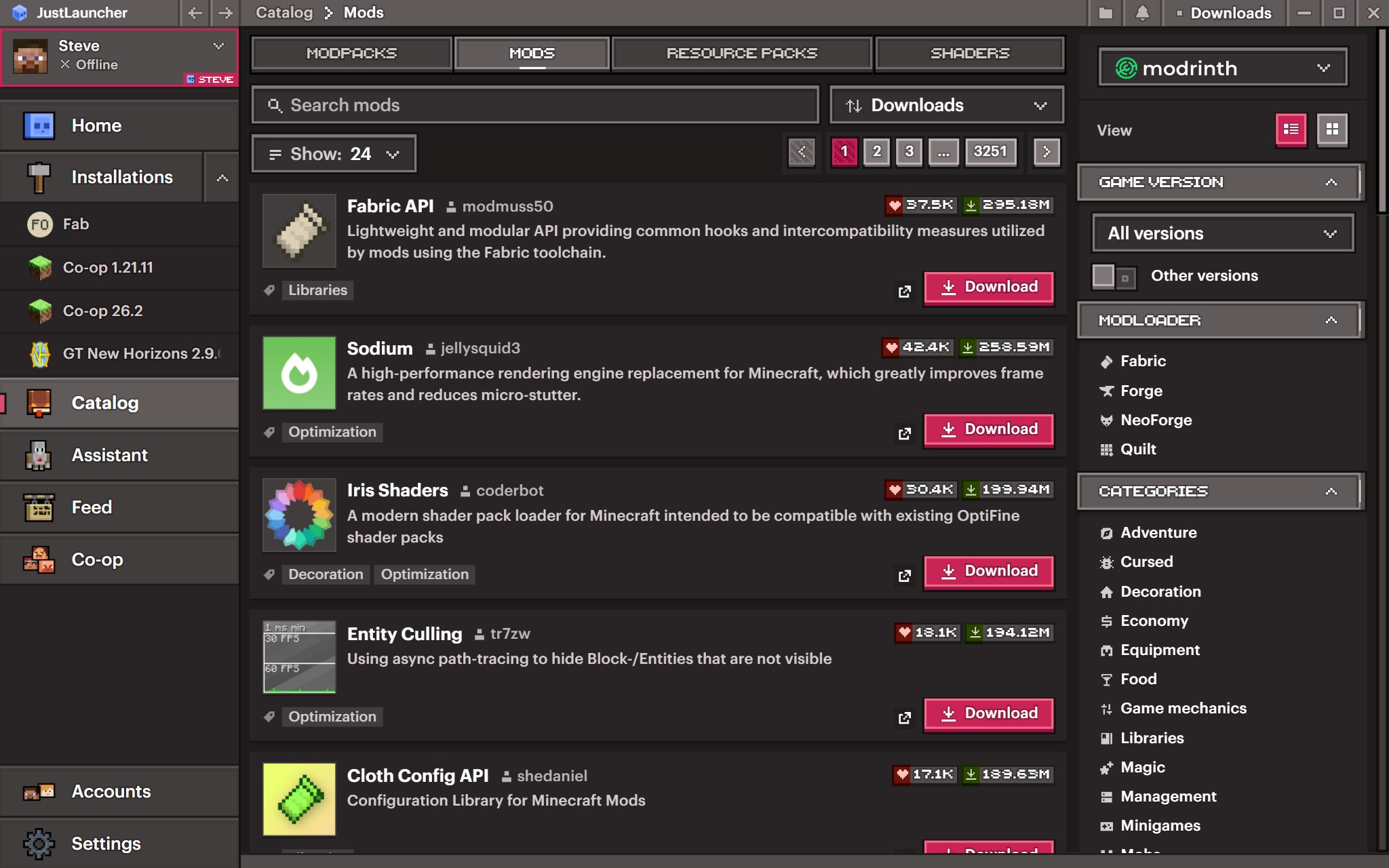
There are new filters on the right. You can now pick several game versions at once, and the "Other versions" switch adds snapshots and betas to the list. Loaders are ticked with checkboxes, and the minus button excludes any of them. Mods and modpacks can also be narrowed down by environment, client or server, and to open-source projects only. These two filters work for Modrinth projects.
In the same panel, under "View", you can switch the catalog from a list to a grid. The launcher remembers your choice for all tabs.
Picking a version and reading the description before installing
When you install a mod, resource pack or shader from the catalog, the "Where to install?" window now has a "Version" field. It defaults to "Latest that fits", but you can choose any other version. The launcher only shows versions that fit the chosen installation. You can pick a version when you install one project into one installation.
The AI assistant opens the same window when it offers to install something, so you can pick a version when installing through it too.
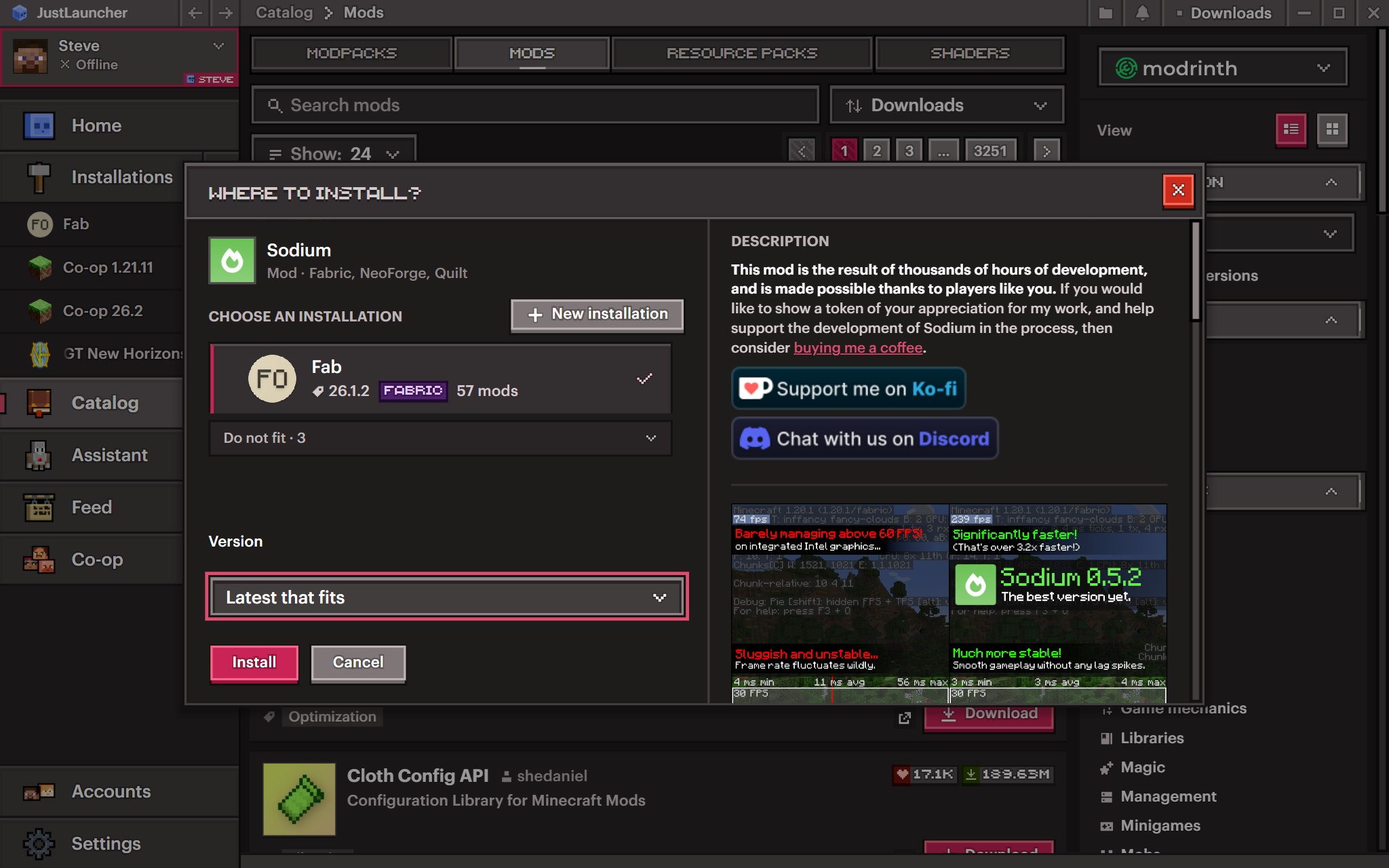
Next to it you now see the project's full description instead of a single line. The description is translated into the launcher's language. The modpack install window also shows screenshots next to the description.
Import from KLauncher
You can now move your modpacks over from KLauncher. The launcher takes the game version, the mod loader, your play time and memory settings. KLauncher's own service mods and the advertising server it adds to your server list are left behind.
Console search
The game console now has search. Press Ctrl+F, type your text, and matches light up right in the log. Use the arrow buttons, or Enter and Shift+Enter, to jump between matches, and the counter shows which one you are on. Turn on "Only matches" to keep only the lines that contain your text.
What else changed
- The home page now shows popular articles from the feed. If you don't need them, you can hide the section in settings.
- The shared Minecraft folder switch is gone from installation settings. You now type the installation folder path in directly, and if you leave the field empty, the installation is kept in the shared folder.
- The feed loads faster.
What we fixed
- Joining a lobby, which failed in some cases.
- Direct (P2P) connections between players now succeed more often.
- Counting free slots in a lobby and the player count in the server list.
- An interrupted download of a loader profile no longer breaks every launch after it.
- Old Forge versions start again.
- When the disk is full, the version list is unavailable or there is no loader build for a version, the launcher explains it in plain words instead of showing an error.
- Import copies the whole game folder and reads Prism, ATLauncher and CurseForge modpacks correctly.
- The "Insert link" button in the feed takes the address from the clipboard.
- Clicking "Ask the assistant" twice quickly after a crash no longer creates an empty chat.
- The Java arguments field in installation settings shows only this installation's own arguments, and clearing it no longer brings back the global ones.
Update and try it yourself. If you find a bug or have an idea, tell us in the comments under this article.
To keep up with the next updates, follow us on Telegram, VK and Discord.
Download JustLauncher
Discussion
No comments yet
Be the first to leave one