
Minecraft 1.21.9 "The Copper Age" Update
The Copper Golem, copper tools and armor, Shelves, End Flashes and Mannequins for map makers all arrive in Minecraft 1.21.9 "The Copper Age".
 English
"The Copper Age" is the third of the small 2025 updates that Mojang calls game drops. It came out on September 30, 2025, at the same time in Java Edition 1.21.9 and Bedrock Edition 1.21.111. Its main theme is copper. Copper now goes into tools, weapons, armor, torches, lanterns, chains, bars and chests, and the Copper Golem carries items to chests on its own. Almost all of the new copper blocks oxidize, and so does the golem.
Besides copper, the drop adds wooden Shelves. Java Edition also got End Flashes, chat drafts and a reworked debug screen, and map makers got Mannequins and the /fetchprofile command. Permanently loaded spawn chunks are gone. A week later, on October 7, Java Edition 1.21.10 came out, a bug fix release with the same game data. This article describes the game as of October 7, 2025.
Copper Golem
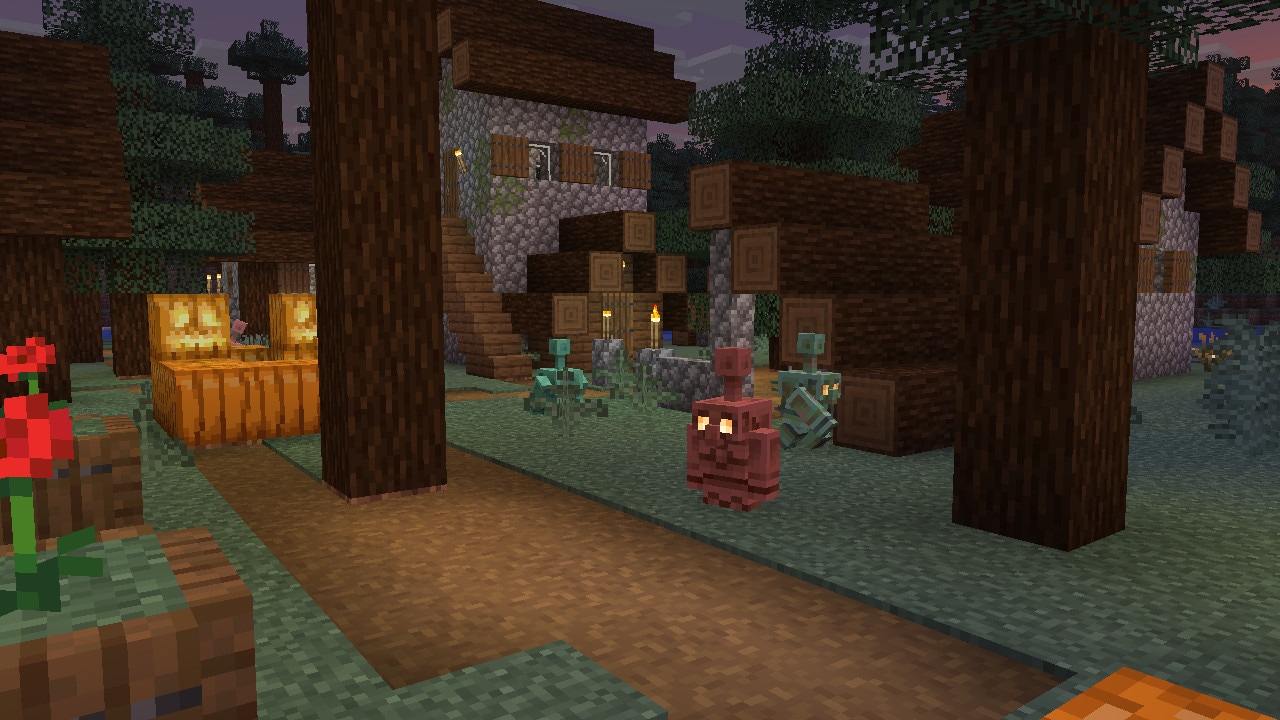
The Copper Golem  is a small mob that sorts items. It does not spawn in the world on its own, so you need to build one. The golem takes items out of Copper Chests and puts them into regular Chests and Trapped Chests, so place a Copper Chest nearby for everything that needs sorting and a few regular Chests for storage.
Building a golem
Place a Carved Pumpkin  or a Jack o'Lantern
  on a Block of Copper
  . The Block of Copper is not used up and turns into a Copper Chest
 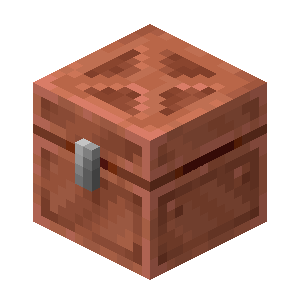 instead. If a Copper Chest already stands next to it, the new one joins it to form a large chest. You can also get a golem from a Copper Golem Spawn Egg
  .
.
Size and drops
The golem is 0.49 blocks wide and 0.98 blocks tall, so it fits through gaps one block high. It takes no fall damage and does not drown. A killed golem drops 1 to 3 Copper Ingots  , and each level of Looting adds up to one more ingot.
How it sorts items
A golem with empty hands looks for nearby Copper Chests at any oxidation stage, waxed or not. It takes up to 16 items of one kind at a time, and the kind can be anything. Holding an item, the golem looks for regular Chests  and Trapped Chests
  . It puts the item into an empty chest or into one that already holds items of the same kind.
The golem searches for chests within 32 blocks horizontally and 8 blocks vertically. It checks at most 10 chests per trip. If none of them fits, the golem waits 7 seconds and tries again. The Copper Golem opens doors by itself. In a Minecart  or a Boat it opens only chests right next to it. If you use an empty hand on the golem, it drops the item it is carrying.
Oxidation and wax
The golem oxidizes like copper blocks and goes through the same four stages. The stage changes roughly every 21–23 in-game days. Oxidation continues even when the daylight cycle is turned off. Each stage has its own look, and the weathered and oxidized golems also have their own step, hurt and death sounds.
Honeycomb  waxes the golem and stops oxidation, so get wax ready in advance if you do not want your golem to turn into a statue. An Axe removes the wax and then scrapes off oxidation one stage at a time. A lightning strike resets the Copper Golem's oxidation.
How a golem becomes a statue
A fully oxidized golem without wax eventually stops moving and turns into an Oxidized Copper Golem Statue 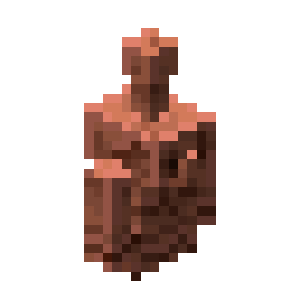 , sometimes right after it reaches the last oxidation stage. The statue's pose is random. The item the golem held drops on the ground, and a name from a Name Tag
  stays with the statue. The subtitle for the transformation is "Copper Golem is petrified".
A Poppy from the Iron Golem
An Iron Golem  sometimes gives a Copper Golem a decorative Poppy
  and places it on the Lightning Rod on the Copper Golem's head. The Poppy can be removed with Shears
  . When the golem becomes a statue, the Poppy drops on the ground.
Sounds
The golem and Copper Chests can be heard from up to 12 blocks away, and sorting sounds are muffled. Every now and then the golem spins its head, and this has its own sound too. Every sorting action has its own subtitle, for example "Copper Golem is picking up item" and "Copper Golem can't place item".
Copper Chest
The Copper Chest is the storage the Copper Golem takes items from. It appears on its own when you build a golem, but it can also be crafted at a Crafting Table.
Crafting
Put a Chest in the center of the Crafting Table and surround it with 8 Copper Ingots. Two Copper Chests placed side by side form a large chest.
Oxidation and wax
Over time the chest oxidizes like the golem, and wax stops this. Weathered and oxidized chests have their own opening and closing sounds.
Mining
To mine a Copper Chest, you need a Stone Pickaxe  or better. Piglins
  guard Copper Chests just like regular ones, so be careful opening and breaking them in Piglin territory.
Copper Golem Statue
The Copper Golem Statue is a decorative block with no recipe. In Survival mode the only way to get one is from an oxidized golem.
Poses
The statue has four poses. The golem is shown standing, sitting, running or frozen in a star pose. You change the pose by interacting with the statue, and each pose gives its own signal to a Redstone Comparator  .
.
Oxidation and bringing it back to life
The statue oxidizes too unless it is waxed. If the statue has no oxidation, an Axe turns it back into a golem.
Moving a statue
A broken statue always drops as an item and keeps its name and pose. If a Piston  pushes the statue, it drops as an item too.
Copper tools and weapons
Copper sits between stone and iron. Copper tools deal the same damage as stone ones but last longer and mine faster. If you are short on iron but already have copper, use copper to replace your stone set.
Crafting
Copper tools and the Copper Sword are crafted with the usual recipes from Copper Ingots and Sticks. They are repaired with Copper Ingots too.
Copper Sword 
- Deals 5 damage.
Copper Axe 
- Deals 9 damage.
Copper Pickaxe 
- Deals 3 damage.
- Mines the same blocks as the Stone Pickaxe. It can mine Iron Ore but not Diamond Ore.
Copper Shovel 
- Deals 3.5 damage.
Copper Hoe 
- Deals 1 damage.
Why copper beats stone
All copper tools have a durability of 190, stone ones 131 and iron ones 250. Copper tools have the same attack speed as stone ones. Copper tools mine at speed 5, stone ones at 4 and iron ones at 6. So copper matches stone in damage and sits roughly halfway between stone and iron in durability and mining speed. The enchantability of copper tools is 13. That is higher than the enchantability of diamond tools and slightly lower than that of iron ones.
Copper armor
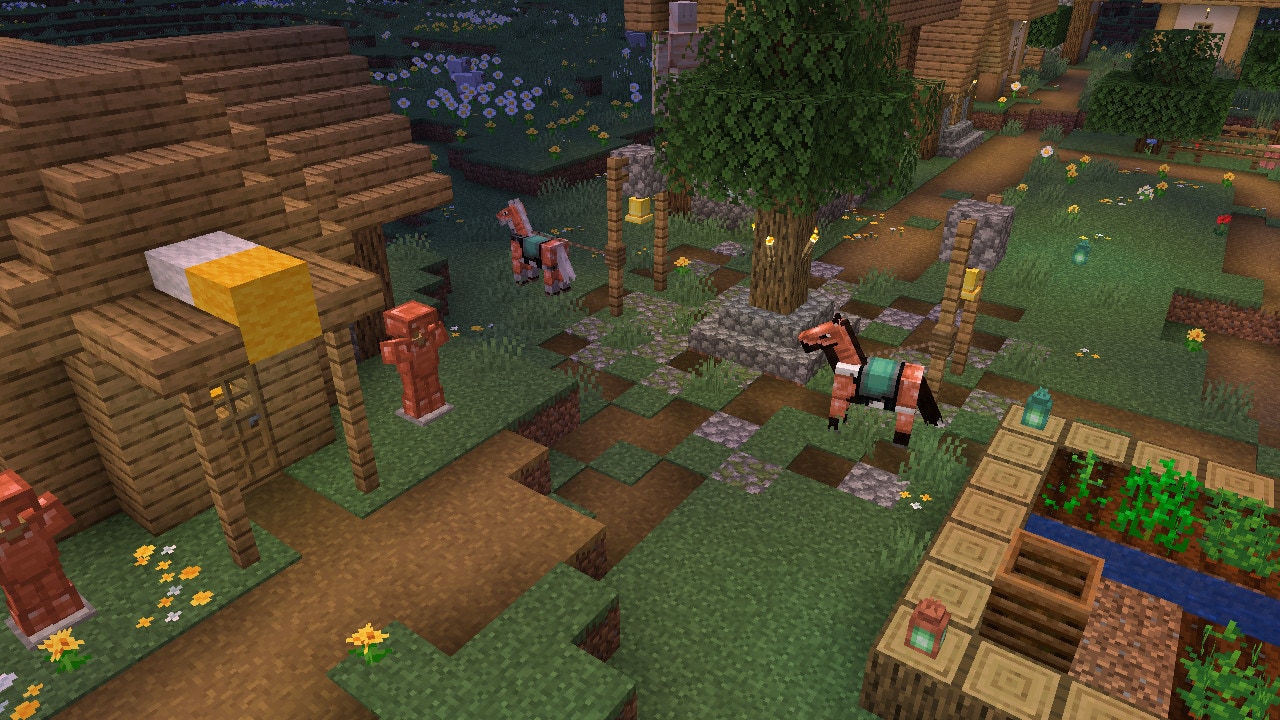
Copper armor protects less than iron armor but lasts longer than leather and gold. It is crafted from Copper Ingots and repaired with them. Mobs can now spawn wearing copper armor too, and Horses get Copper Horse Armor.
Copper Helmet 
- Gives 2 armor points, durability 121.
Copper Chestplate 
- Gives 4 armor points, durability 176.
Copper Leggings 
- Give 3 armor points, durability 165.
Copper Boots 
- Give 1 armor point, durability 143.
The full set
The full set gives 10 armor points, while an iron set gives 15. Copper armor has no toughness, and its enchantability is 8. That is slightly lower than the enchantability of iron armor. Copper armor has its own equip sound. Its subtitle is "Copper armor clonks". Copper trim on this armor looks darker so it does not blend in.
Mobs in copper armor
When a mob spawns with armor, the game now first picks leather, copper or gold for it. The chance that the armor is one tier higher went up from 9.5% to 10.87%.
Copper Horse Armor 
- Gives 4 armor points. Leather Horse Armor gives 3, and Iron Horse Armor
 gives 5.
 - It cannot be crafted. It turns up in the same chests as Iron Horse Armor, with the same chance. These are the chests of Desert Pyramids, Dungeons, Nether Fortresses, Jungle Temples, End Cities, Stronghold corridors and village weaponsmith houses.
- Mojang's changelog says "armor toughness 4", but in the game files Copper Horse Armor has 4 armor points and zero toughness.
Copper Torch, Lantern, Bars and Chain
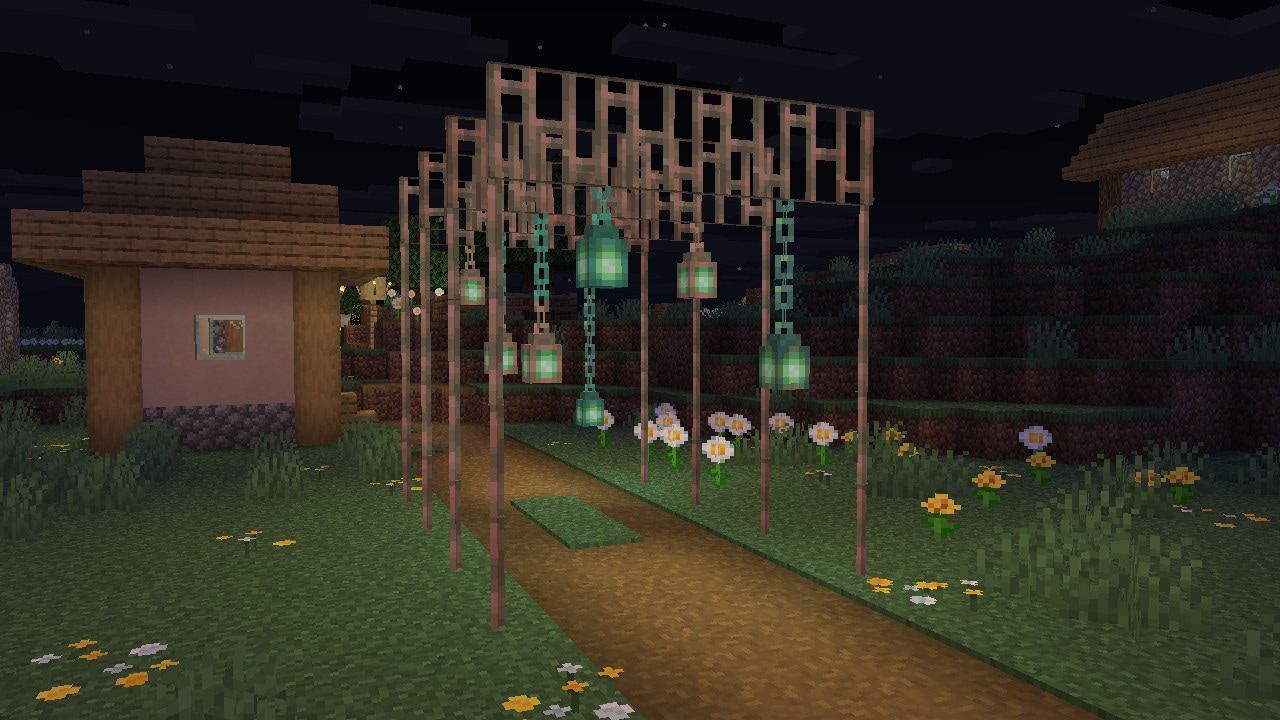
Copper is also useful for decorating your builds. The Copper Torch, Lantern, Bars and Chain work like the familiar blocks but look different, and all of them except the Torch turn green over time. For the Torch, Lantern and Chain you will need Copper Nuggets.
Copper Nugget 
- A Copper Ingot now gives 9 Copper Nuggets, and 9 nuggets make an ingot again.
- In a Furnace
 or Blast Furnace, copper tools, armor and horse armor smelt into one Copper Nugget.
Copper Torch 
- A green version of the regular Torch. It works the same way and can also be placed on walls.
- It is crafted from a Copper Nugget, Coal
 or Charcoal, and a Stick. The recipe gives 4 torches.
 - The Copper Torch does not oxidize.
Copper Lantern 
- Works like a regular Lantern
 .
. - It is crafted from 8 Copper Nuggets placed around a Copper Torch.
- Unlike the Torch, the Lantern oxidizes, but it keeps its look when waxed.
- The colors of the Copper Torch and Lantern were adjusted so that players with color vision deficiency can tell them apart more easily.
Copper Bars 
- Work like Iron Bars
 .
. - 6 Copper Ingots make 16 bars.
- Oxidize, but keep their current look when waxed.
Copper Chain 
- Crafted from a Copper Ingot and two Copper Nuggets, one above it and one below.
- Oxidizes until it is waxed.
Iron Chain
- This is the new name of the regular Chain, and its id is
iron_chain. - As before, it is crafted from an Iron Ingot and two Iron Nuggets
 .
. - Hanging Signs
 need an Iron Chain specifically, and a Copper Chain will not do.
Lightning Rod 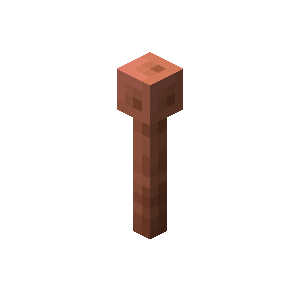
- Now oxidizes like other copper blocks. To keep it from changing, wax it.
- A lightning strike removes oxidation from the Lightning Rod.
- The Channeling enchantment works with a Lightning Rod at any stage.
Copper Trapdoor 
- Now crafted from 4 Copper Ingots instead of 6, and the recipe gives 1 trapdoor instead of 2.
Shelves
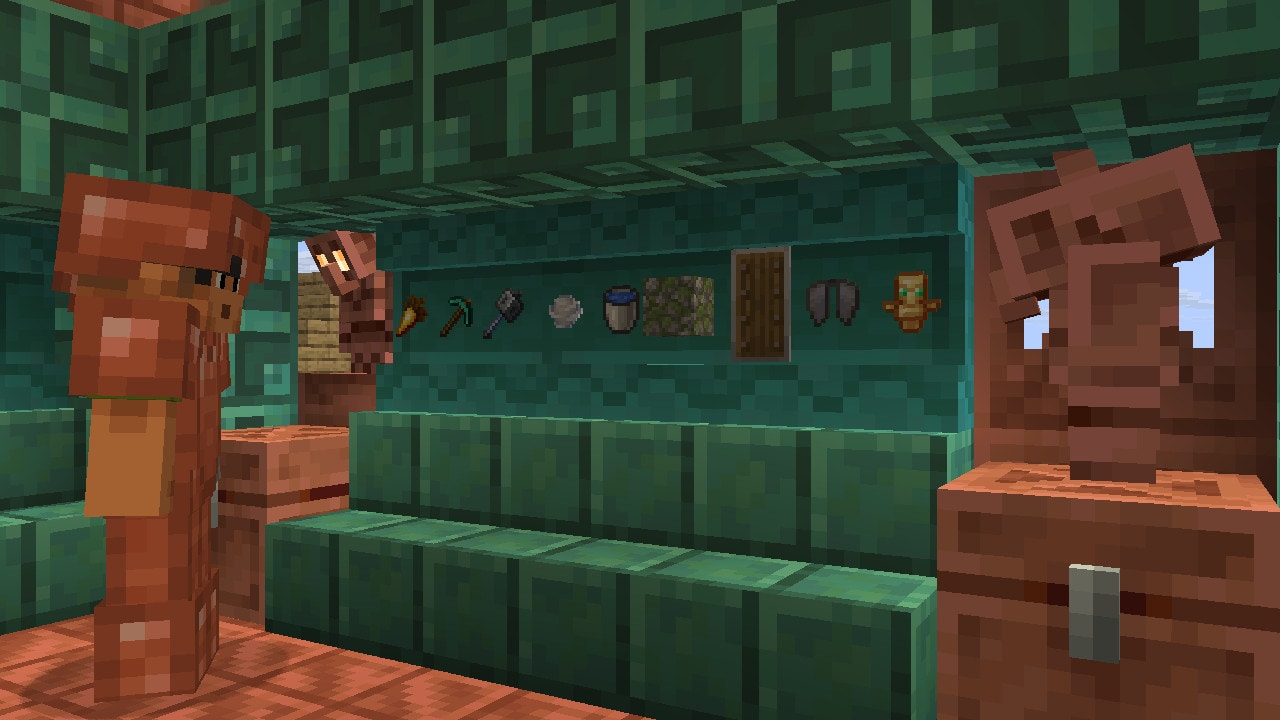
The Shelf is a new decorative block for storing and displaying items. Every wood type has its own Shelf. Powered with redstone, Shelves let you swap the contents of your hotbar in a single click.
Shelf types
In total, 12 Shelves were added. They are the Oak Shelf 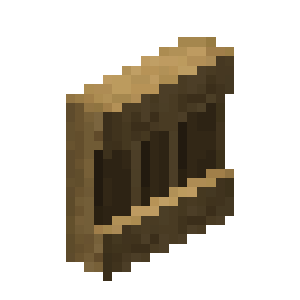 , Spruce Shelf
 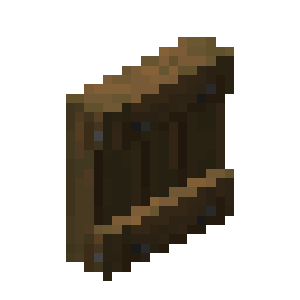 , Birch Shelf
 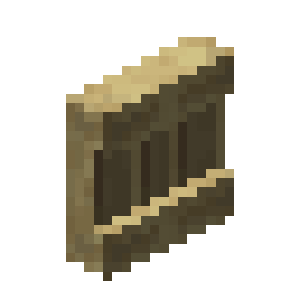 , Jungle Shelf
 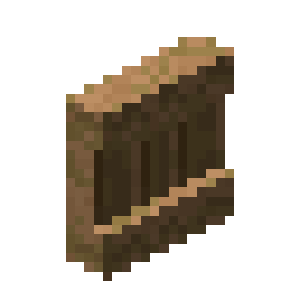 , Acacia Shelf
 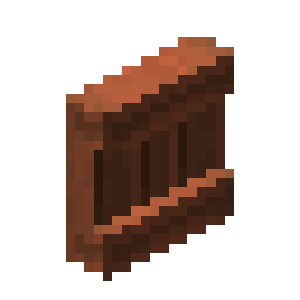 , Dark Oak Shelf
 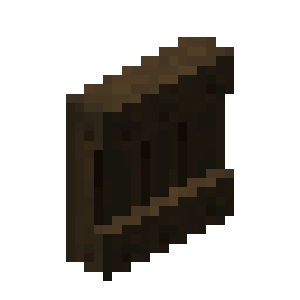 , Mangrove Shelf
 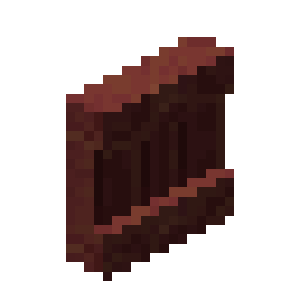 , Cherry Shelf
 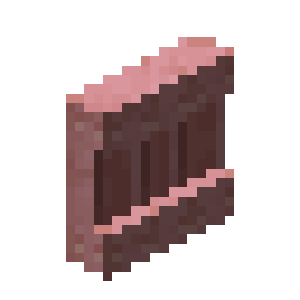 , Pale Oak Shelf
 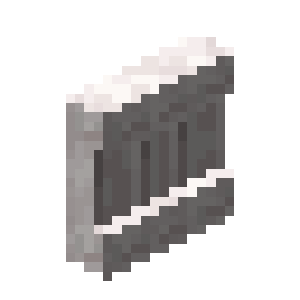 , Bamboo Shelf
 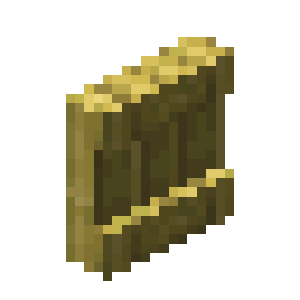 , Crimson Shelf
 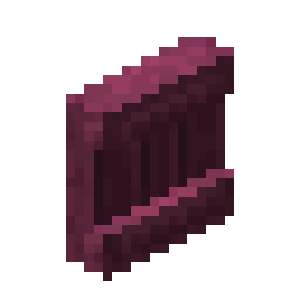 and Warped Shelf
 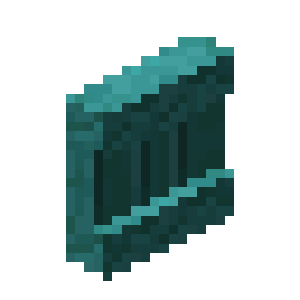 .
.
Crafting
Shelves are crafted from 6 matching Stripped Logs  , Stripped Stems or Blocks of Stripped Bamboo. The material goes in the top and bottom rows of the Crafting Table, and the recipe gives 6 Shelves. An Axe breaks a Shelf fastest.
Storing items
A Shelf has three slots. Each slot holds one stack of items. Interacting with a slot swaps the item in your main hand with what is in the slot. Items sit in the center of the Shelf's front face, like in an Item Frame  . A Shelf outputs a signal to a Redstone Comparator. The signal strength depends on which slots are filled.
Powered Shelves
When a Shelf receives a redstone  signal, its front texture changes. Powered Shelves that stand next to each other and face the same way connect, but a group can hold at most three Shelves. Interacting with a powered Shelf swaps the items in its three slots with the three rightmost hotbar slots. Two connected Shelves swap six hotbar slots, and three swap the whole hotbar. You can interact with any of the connected Shelves. This way you can keep a spare set of items on the wall and swap it in with one click.
Mannequins
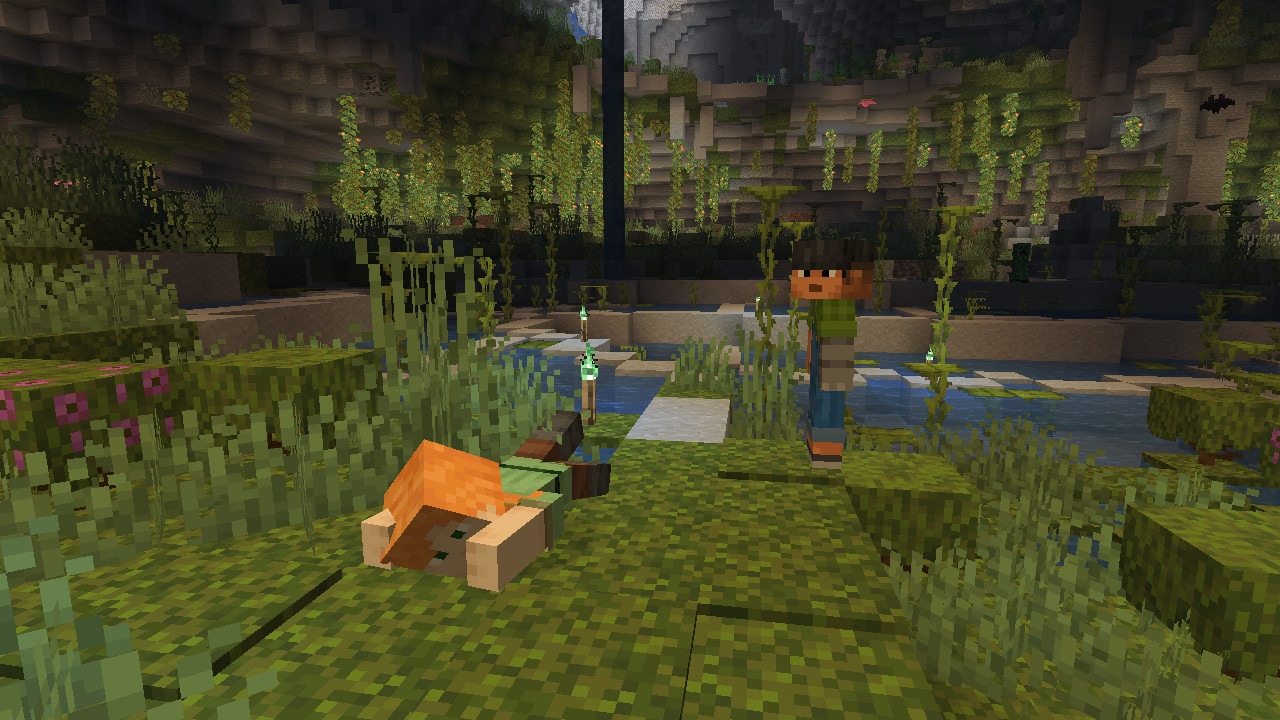
The Mannequin is a technical entity for map makers. Mojang describes it as a player model with no player connected to it. You will not come across one in normal play, but on maps it can stand in for a non-player character.
Summoning a Mannequin
The Mannequin has no Spawn Egg. It is summoned with the /summon minecraft:mannequin command. Also, after the /fetchprofile command, a "Summon Mannequin" button appears in chat, and it creates a Mannequin with the skin of the player that was found.
How it works
A Mannequin can hold and wear items, receive effects, take damage and have attributes like living entities. It has no drops of its own.
Appearance and poses
By default, the caption "NPC" is shown under the Mannequin's name, but it can be changed or hidden. The Mannequin's skin comes from a player profile. The profile can set skin, cape and Elytra textures separately and choose the wide or slim model. A Mannequin can stand, sneak, swim, glide with Elytra or lie down. You can make it immobile, set its main hand and hide parts of the skin's outer layer.
End Flashes
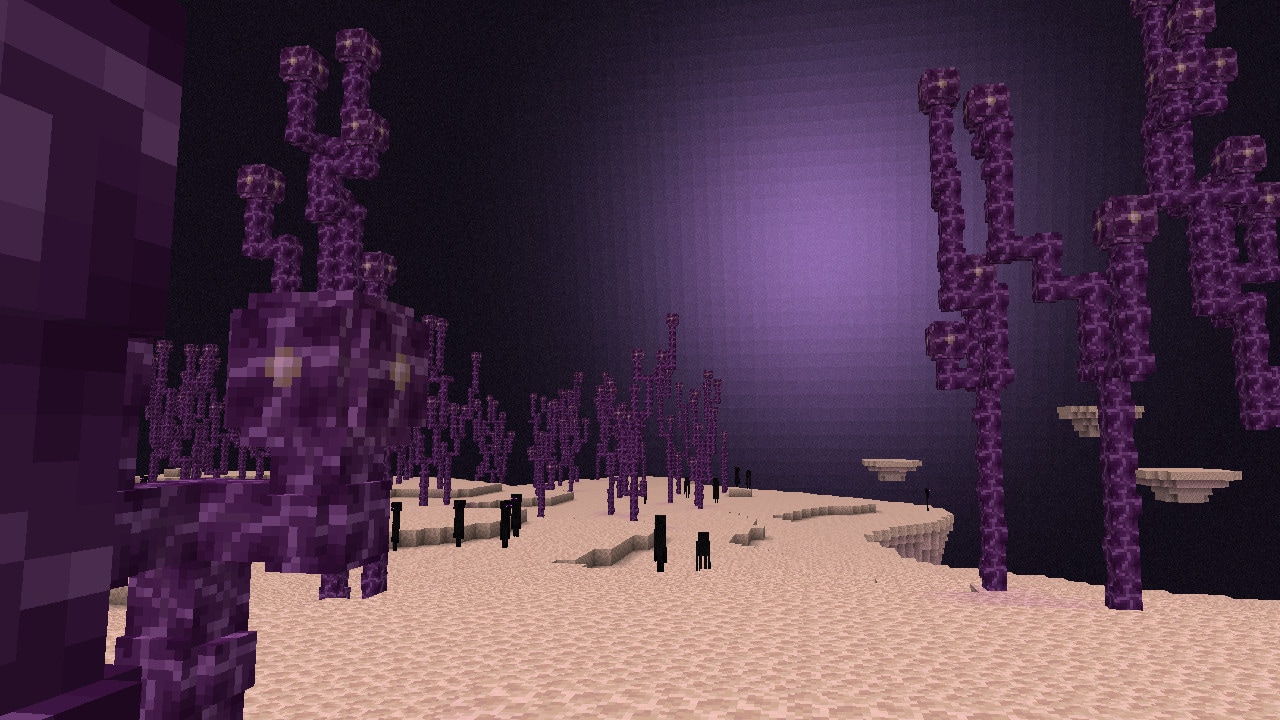
Every now and then an End Flash lights up the sky of the End. The sky light, which came to the End with this drop and normally does not change how the dimension looks, briefly grows stronger and floods everything purple, followed by a rumble. Its subtitle is "End Flash rumbles".
During the dragon fight
While the Ender Dragon  fog is active, the source of the flash in the sky is not visible, and its light is weaker than usual.
If the flashes bother you
The "Hide Sky Flashes" setting turns off the light from End Flashes, but the flash source and the sound remain. Before, this setting applied only to lightning.
Changes
Java Edition also changed world borders, Spawn Eggs, Boats, the Shield, drops, lighting and advancements.
World
- Each dimension now has its own world border with its own size and center.
- The world spawn point can be set in any dimension. For example, a player without a Bed or Respawn Anchor can respawn in the Nether.
- Pumpkin patches were removed from the Mushroom Fields biome definition.
- Strongholds now generate more often near the Cherry Grove biome too.
Monster Spawn Eggs
- On Peaceful difficulty they now have the tooltip "Disabled in Peaceful".
- Previously, a monster from such an egg appeared for one tick and vanished right away, and now it does not appear at all.
- The
/summoncommand does not summon monsters on Peaceful either.
Sounds
- The Happy Ghast
 can now be heard from up to 64 blocks away.
 - Regular Chest sounds are quieter.
Boats
- Dolphins
 no longer get into Boats.
 - Players, the Creaking and aquatic mobs other than amphibians can no longer be pushed into a Boat.
Shield
- If a Shield
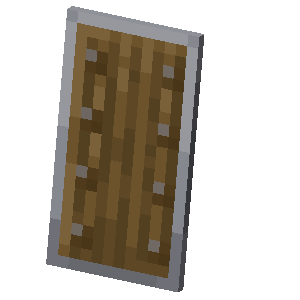 did not absorb the damage of an attack, that attack no longer disables it, and blocking itself causes no knockback.
 - Axes no longer disable a Shield that did not block the attack.
Items and drops
- Enchanted Books
 now count as rare items rather than uncommon ones.
 - A renamed mob head now keeps its name when broken.
- Some drops now come from loot tables. These are heads of mobs killed by a charged Creeper, seeds from carving a Pumpkin, Honeycomb from Beehives, Glow Berries and Sweet Berries, the Armadillo Scute and the Turtle Scute.
Lighting and rendering
- Entities are now lit almost the same way as blocks. Flat parts such as worn armor, Elytra and the skin's outer layer now get light from below on their underside.
- The order in which entities are rendered changed, so the game runs noticeably smoother near mob farms.
- Particles outside the field of view are no longer rendered.
Spectator mode
When you switch from Spectator to Creative mode, flight now turns off only if there is a block, a Happy Ghast, a Boat or another solid support no more than 1 block below the player.
Advancements
- Lightning Rods and the new waxable copper blocks now count for the "Wax On" and "Wax Off" advancements.
- The Copper Axe now also counts for the "Lighten Up" advancement.
Debug screen, chat and settings in Java Edition
Java Edition updated the debug screen, chat, controls and interface, and changed the system requirements.
Debug screen
The debug screen still opens with F3, but it now works everywhere, including in menus. By default it shows less data. You can bring back what you need on the new "Debug Options" screen, which opens with F3 + F6. Each entry can be turned off or set to "In F3" or "Always", and the same screen turns on chunk borders, hitboxes and the octree visualization. The chosen options are saved between launches. The "Performance profile" keeps the frame counter on screen at all times. According to Mojang, checking FPS no longer lowers FPS.
Chat drafts
If chat closes without the player closing it, for example because of death or a dialog opening, the unsent text is saved. If the player closes chat themselves, the text is lost. The draft appears in the input field in gray. It becomes regular text if you keep typing, move the cursor, click the draft or select it. Enter sends the draft right away, and Backspace deletes it. With the "Save Unsent Chats" setting, any unsent message goes into the draft. You can also now type in chat while standing in a Nether Portal, and chat no longer closes when you change dimensions.
Controls and accessibility
The "Attack/Destroy" and "Use Item/Place Block" keys can be set to "Hold" or "Toggle" mode. The "Invert Mouse X" and "Sprint Window" settings were added. The latter sets the window, in ticks, in which you must press "Walk Forward" twice to start sprinting. Several actions bound to one key now trigger together, and the warning that a key is already in use is now yellow instead of red. The "Select On Hotbar" key, which works in Spectator mode, can now be rebound. It moved to the new "Spectator" category.
The accessibility screen got a "Controls" button, and "Auto-Jump" and the "Sneak" and "Sprint" toggles were removed from it. Dye icons were redrawn so that players with color vision deficiency can tell them apart more easily.
Interface
- The mouse cursor changes shape over text fields, sliders and buttons, and turns into a hand over links. The "Allow Cursor Changes" setting turns this off.
- Some volume sliders in the menu now play a sample sound.
- The resource pack and data pack screens got a search box.
- Double-clicking selects a word in a text field.
- "Social Interactions" shows players you met on a server even after they leave.
- While a world loads, the screen shows the chunks the player will spawn in and a progress bar.
- The new main menu panorama shows Copper Golems in a village.
- Halychian was added to the language list.
System requirements
The game now needs OpenGL 3.3, while 3.2 used to be enough. The official minimum requirements did not change. They have listed OpenGL 4.0 since 2017.
Game rules
Four server properties became game rules, so they can now be changed without stopping the server. One more rule is entirely new, and one was removed. The five active rules default to true.
- The "Allow Nether" rule (
allowEnteringNetherUsingPortals) decides whether players can enter the Nether through a portal. This used to be theallow-netherproperty. - If you turn off "Spawn Monsters" (
spawnMonsters), monsters stop spawning naturally. This is the formerspawn-monstersproperty. - Command Blocks
 are now turned on and off by the "Enable Command Blocks" rule (
commandBlocksEnabled) instead of theenable-command-blockproperty. - "Enable pvp" (
pvp) controls whether players can hurt each other. This used to be the server property of the same name. - The new "Enable Spawner Blocks" rule (
spawnerBlocksEnabled) turns Monster Spawners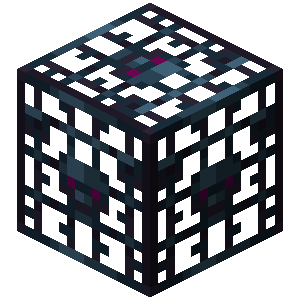 on and off. There was no such server property before.
 - The "Spawn chunk radius" rule (
spawnChunkRadius) was removed along with spawn chunks themselves.
For servers, data packs and map makers
Chunk loading, format versions and commands changed. There is also a new server management protocol.
Spawn chunks
Permanently loaded spawn chunks were removed. According to Mojang, they wasted memory for every player, and in farms their role has been taken over by chunks that portals and Ender Pearls  keep loaded. Before a player joins or the server starts, the game fully loads chunks pinned with the
 /forceload command and chunks kept active by portals. In singleplayer, chunks with thrown Ender Pearls and a small area around the player are added to them. A dimension stays active if it has players, chunks loaded by the command, active portals or Ender Pearls in flight.
Versions
The data pack version is 88.0, the resource pack version is 69.0, and the protocol version is 773. A pack version now has a major and a minor part. If only the minor part goes up, backward compatibility is kept. The supported_formats field was removed from pack.mcmeta, and the min_format and max_format fields became required.
Server management protocol
Dedicated servers got the Minecraft Server Management Protocol. It runs on JSON-RPC 2.0 over WebSocket and is off by default.
- The protocol is turned on with
management-server-enabled=true. By default the address islocalhostand the port is0, which means a free port is picked each time. - The client passes a secret in the Authorization header. The secret is set with the
management-server-secretproperty and consists of exactly 40 Latin letters and digits. If the property is left empty, the server generates a secret itself. The server answers a request without the correct secret with code 401. - TLS is on by default, so a keystore in PKCS12 format is required. Without it, a server with TLS will not start.
- The protocol can manage players, the allowlist, operators, bans, server settings and game rules. The schema has 68 methods and 16 notifications. You can get it with the
rpc.discovermethod.
Code of conduct
A server can show a code of conduct when a player joins. It is turned on with the enable-code-of-conduct property, and players cannot play without accepting it. The "Do not notify again for this Code of Conduct" checkbox hides it until the text changes. The texts are stored in the codeofconduct folder in files like ru_ru.txt. If there is no file in the player's language, the text from en_us.txt is shown.
Commands and data
- The new
/fetchprofile nameor/fetchprofile idcommand downloads a player profile and offers to copy the profile component, get a Player Head or summon a Mannequin.
 - The
/spawnpointand/setworldspawncommands now take two view rotation angles. They go in therotationargument, which replacedangle. - By default, server commands run in the respawn dimension instead of the Overworld.
- The
minecraft:profilecomponent no longer changes after the profile loads. A dynamic profile that specifies only a name or only a UUID always shows the current skin. - The new
objecttext component inserts a sprite from an atlas or a player head into text. - Added the
entity_interactandblock_interactloot table types, as well as thecharged_creeper/root,carve/pumpkin,harvest/beehiveand other tables. Theblock_particlesfield was added to theexplodeenchantment effect. - Added the
#copper,#copper_chests,#copper_golem_statues,#chains,#lanterns,#bars,#incorrect_for_copper_tool,#copper_tool_materials,#repairs_copper_armorand#shearable_from_copper_golemtags. Entities got the#cannot_be_pushed_onto_boats,#accepts_iron_golem_giftand#candidate_for_iron_golem_gifttags. - Shaders moved from GLSL version 150 to version 330. Hidden debug features are turned on with JVM flags such as
-DMC_DEBUG_ENABLED. Mojang warns that these features can crash the game and corrupt worlds.
Bedrock Edition 1.21.111
Bedrock Edition 1.21.111 "The Copper Age" came out on September 30, 2025, the same day as Java Edition 1.21.9. Some of the copper features were already available as experimental features in 1.21.100, released on August 5. Below is only what the Bedrock changelog lists.
Shared with Java Edition
- Bedrock got copper tools, weapons, armor and horse armor. Monsters can spawn in copper armor and pick up copper weapons.
- The Copper Golem is built from copper and a Carved Pumpkin. It sorts items by the same rules and with the same parameters as in Java Edition. It drops 1 to 3 Copper Ingots.
- An oxidized golem turns into a statue in a random pose.
- An Iron Golem sometimes gives a Copper Golem a decorative flower. That is what the Bedrock changelog calls it, while in the Java Edition files the flower is a Poppy.
- Bedrock also got the Copper Chest, the Copper Golem Statue, 12 kinds of Shelves, the Copper Torch, Copper Lantern, Copper Bars and Copper Chain. The regular Chain became the Iron Chain here too.
- The signal strength a Shelf gives to a Comparator depends on which slots are filled. According to the Bedrock changelog, the first slot gives 1, the second 2, the third 4, and all three together 7.
Bedrock Edition only
- Foxes
 treat a Honey Bottle
  as food.
 - Fixed a bug that stopped Zombies
 and Skeletons from spawning in diamond armor.
 - Armor tooltips now show armor points and toughness, as in Java Edition.
- Glass now catches fire from Flint and Steel and from explosions that create fire.
- In Vibrant Visuals on PC, the maximum render distance is now 28.
- Vibrant Visuals got a setting that hides End Flashes.
- Custom biomes are no longer an experimental feature.
- The
/locate biomecommand now finds underground biomes. - The players section lists 26 entries with bug numbers, and the whole changelog lists 33. For example, Bundle contents no longer duplicate through a Hopper, and the Ender Dragon no longer freezes at the end of its death animation, so it now creates the portal.
The 1.21.10 update
Java Edition 1.21.10 came out on October 7, 2025. It is a hotfix for 1.21.9 bugs with no new features. The game data and protocol 773 stayed the same, so 1.21.10 clients can connect to 1.21.9 servers.
- Entities in a Cobweb
 no longer pass through Pistons. Fixed glitches with items that a piston head pushes through Powder Snow or Cobwebs.
 - A Wind Charge
 now behaves the same when it hits certain blocks as it does with any other block.
 - Chunks now load while a player is being teleported.
- A Map
 in an Item Frame can now be hung on a wall next to a carpeted floor.
 - A repeating or chain Command Block with
/tpnow holds the player in place. - Entities on a Bubble Column no longer shoot high into the air.
Development
Test versions of the drop came out in Java Edition for almost two months. From July 29 to September 25, 2025, Mojang released 9 snapshots, 4 pre-releases and a release candidate. After 1.21.9 came one more release candidate and 1.21.10 itself.
- 25w31a, July 29. Added the Copper Chest, the Copper Golem and its statue, copper tools, armor and horse armor, and Shelves. The Lightning Rod started to oxidize. The same snapshot removed spawn chunks and reworked the debug screen.
- 25w32a, August 5. Added the Copper Torch, Lantern, Bars and Chain. The regular Chain became the Iron Chain, the Copper Trapdoor recipe changed, and items on a Shelf moved down to its bottom edge.
- 25w33a, August 12. End Flashes and chat drafts arrived, and Iron Golems started giving Copper Golems a Poppy. Items on a Shelf moved back to the center after player feedback.
- 25w34a, August 19. Added the server code of conduct, the new menu panorama and the
/fetchprofilecommand. - 25w34b, August 19. Fixed a Realms connection bug.
- 25w35a, August 26. The server management protocol appeared, and four server properties became game rules. The Copper Golem got shorter.
- 25w36a, September 2. Mannequins and a separate world border for each dimension appeared, and several actions on one key started to trigger together.
- 25w36b, September 2. Fixed two crashes, including one when placing an Ender Chest.
- 25w37a, September 9. The game started to require OpenGL 3.3. The Copper Golem learned to open doors, the management protocol got a secret and TLS, and the
enableCommandBlocksrule was renamed tocommandBlocksEnabled. - Pre-Release 1, September 16. Mannequins got poses, their caption became customizable, and a golem riding as a passenger opens only adjacent chests.
- Pre-Release 2, September 19. The Copper Golem now oxidizes even with the daylight cycle off, and turns into a statue the same way as in Bedrock Edition.
- Pre-Release 3, September 22. The game no longer stutters when a golem checks chests.
- Pre-Release 4, September 23. Debug options moved from F3 + F5 to F3 + F6.
- Release Candidate 1, September 25. Fixed two bugs.
- 1.21.9, September 30. The drop itself came out.
- 1.21.10 Release Candidate 1, October 2. Fixed seven bugs.
- 1.21.10, October 7. The hotfix came out.
Fixed bugs
The 1.21.9 changelog lists 157 fixed bugs. Of these, 109 had been reported to the bug tracker before the drop's first snapshots. In total, the changelogs of the snapshots, pre-releases and release candidate for 1.21.9 mention 379 distinct bugs. Below are some notable fixes by group. The number in parentheses shows how many fixes the group has.
Interface, menus and Realms (38)
- World names no longer overflow the edge of the list.
- The result slot in the trading screen is now centered.
Mobs, movement and combat (33)
- The End Portal now negates fall damage.
- The Dragon Egg
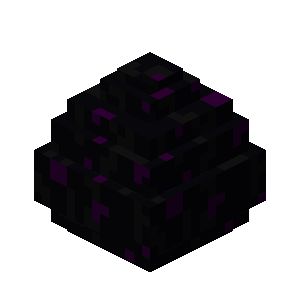 no longer teleports into the void or above the build limit.
 - Cauldrons
 no longer apply the effect of their contents to entities touching them from below.
 - Sheep again eat grass as often as before snapshot 21w39a.
Graphics (19)
- At low brightness the Overworld no longer looks darker than before.
- The Darkness effect now pulses in the End too.
World, generation and commands (17)
- Ender Pearls in the End load chunks again after rejoining.
- In a Superflat world with the "Water World" preset, the player no longer spawns at the bottom of the sea.
Chat, books and dialogs (14)
- Chat is no longer cleared on death.
- Double-clicking works again in a Book and Quill
 .
.
Spectator mode (13)
- A player in Spectator mode can no longer leash a mob or occupy a bed.
- The night is skipped even if a sleeping player is switched to Spectator mode.
Other
- The debug screen and the move of item drop rules to loot tables get seven fixes each. Six more concern sound, and three concern controls.
- Thunder volume now depends on the "Weather" slider, and a Jukebox
 goes silent no matter how it is broken.
The next Java Edition version, 1.21.11 "Mounts of Mayhem", came out on December 9, 2025.
Download JustLauncher
Discussion
No comments yet
Be the first to leave one