Update 2.3: AI assistant and mod checks
The launcher now has an AI assistant that picks mods and helps when the game crashes. And before launch, the launcher checks on its own that your mods have everything they need.
 English
The launcher is the main focus of this update. We wanted modded Minecraft to crash less often, and when something does break, we don't want you spending hours hunting for the cause.
AI assistant
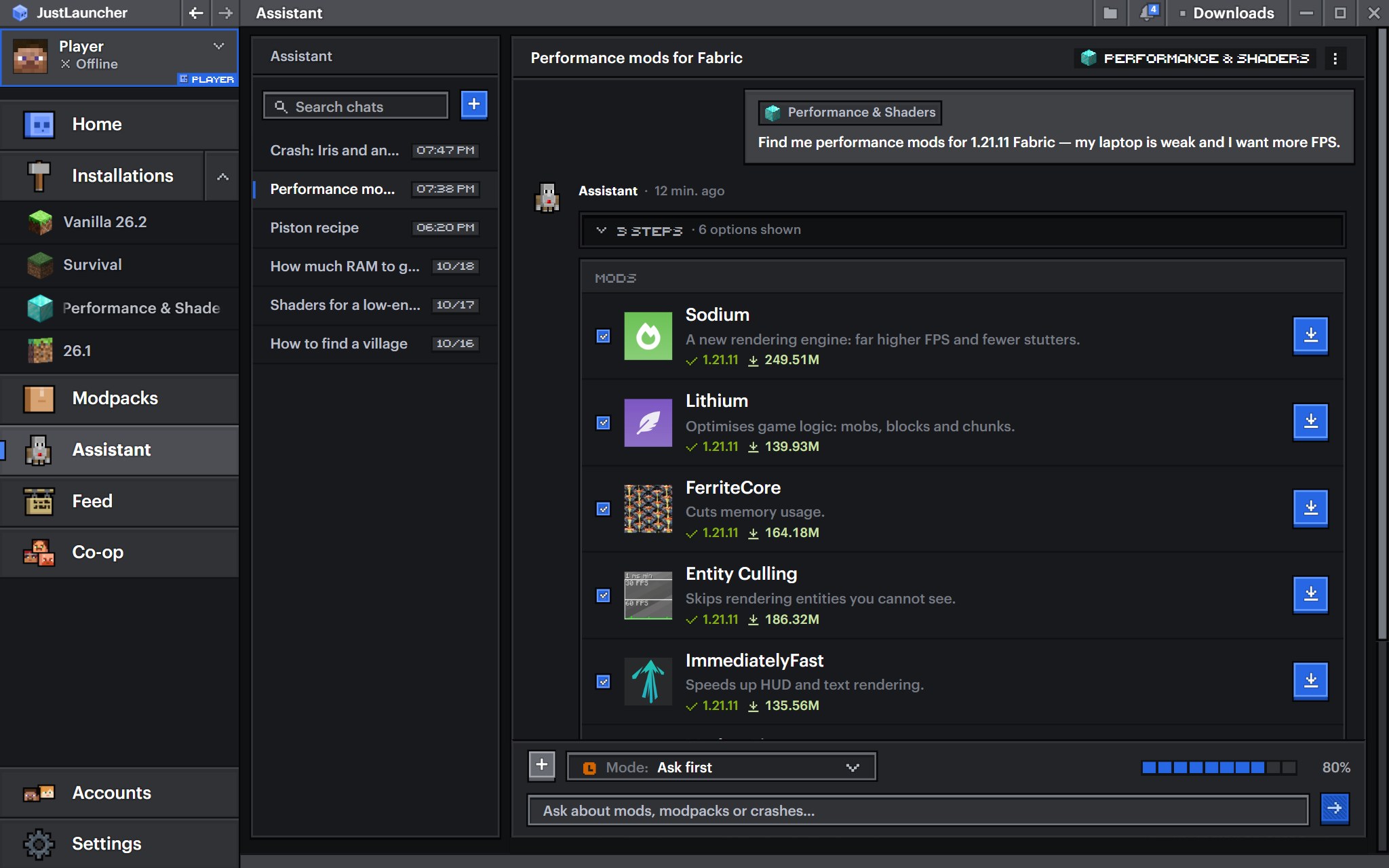
The launcher now has an AI assistant that takes all the hassle with mods, modpacks and crashes off your hands. Just tell it what you want to play. For example: "I want performance mods, my laptop is weak". The assistant will pick mods or a ready-made modpack and install them for you.
Here's what else it can do:
- Searches Modrinth and CurseForge for mods, modpacks, resource packs, shaders and datapacks, and checks whether they fit your game version.
- Installs what it finds into the right installation, and installs modpacks in full. If there's no suitable installation, it creates a new one.
- Checks mods for compatibility, finds conflicts and missing mods, and fixes everything itself.
- Updates mods and turns them on and off.
- Investigates crashes: reads the crash report and the game log, looks at your computer's specs and explains in plain words what went wrong.
- Changes installation and launcher settings: for example, it can give the game more memory or switch the mod loader.
- Gives advice on both the game itself and the launcher.
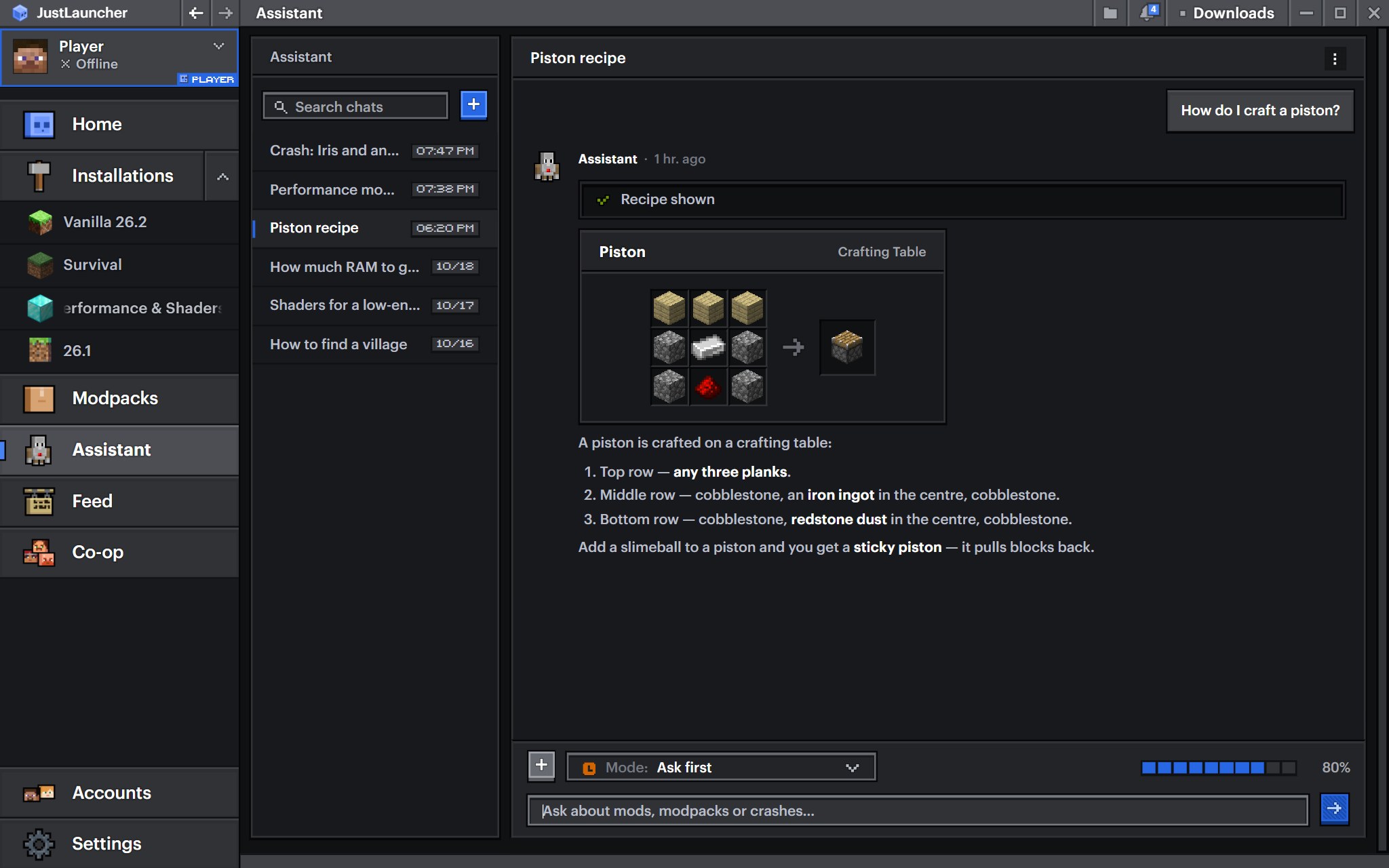
- Shows crafting recipes, and can also tell you how to get an item and what it's used for.
- Remembers your installations between conversations, so you don't have to explain everything again every time.
You can attach an installation, mod, resource pack, shader, datapack, crash report or a file from your disk, such as a log or a config, to your message. That makes it easier for the assistant to understand what you mean. Logs are cleaned of personal data before they are sent.
You decide how much it can do on its own. In "Automatic" mode, the assistant installs and changes everything itself. In "Ask first" mode, it asks for permission before every change. And in "Read only" mode, it only searches and gives advice without touching anything. In any mode, it can only delete an installation or switch the mod loader with your permission.
If the game crashed, click the crash notification and the assistant will start investigating right away. You can have as many chats as you like. They are kept for 30 days, so you can come back to an old conversation later.
The assistant works only with a JustLauncher account. Signing in is free. The number of messages to the assistant per day is limited, and the limit resets every day at midnight Moscow time. The assistant only answers questions about Minecraft and the launcher.
This is the first version of the assistant, and we will keep developing it: with every new update, it will be able to do more.
Mod check before launch
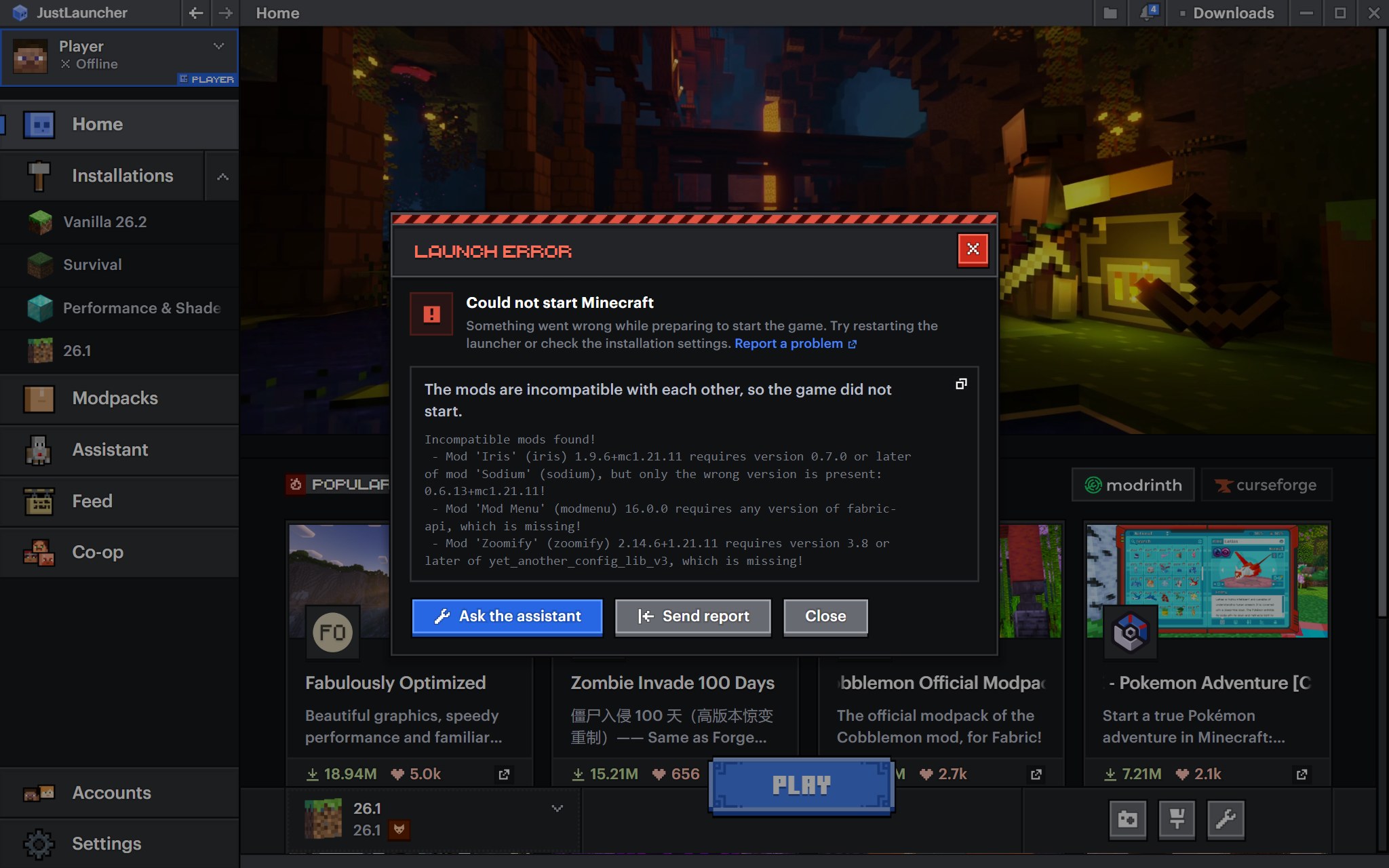
Sometimes a mod doesn't work without another mod, and you only find out after a crash. Now the launcher checks mods on Fabric, Forge and NeoForge before the game starts, and if something is missing, it offers to download it with one click.
Mods with problems are marked right in the installation's mod list, so you can see at once which one is causing trouble.
If the game didn't start
If the game didn't start, you can now send the error straight to the AI assistant. The error window has an "Ask the assistant" button for that. It will figure out what went wrong and suggest how to fix it. The window itself is also clearer now and names the cause. And if you'd rather we took a look, send us a report from the same window.
Notifications
Notifications have arrived in the launcher's top bar: you can see likes, comments, replies and new followers right away, without opening the feed.
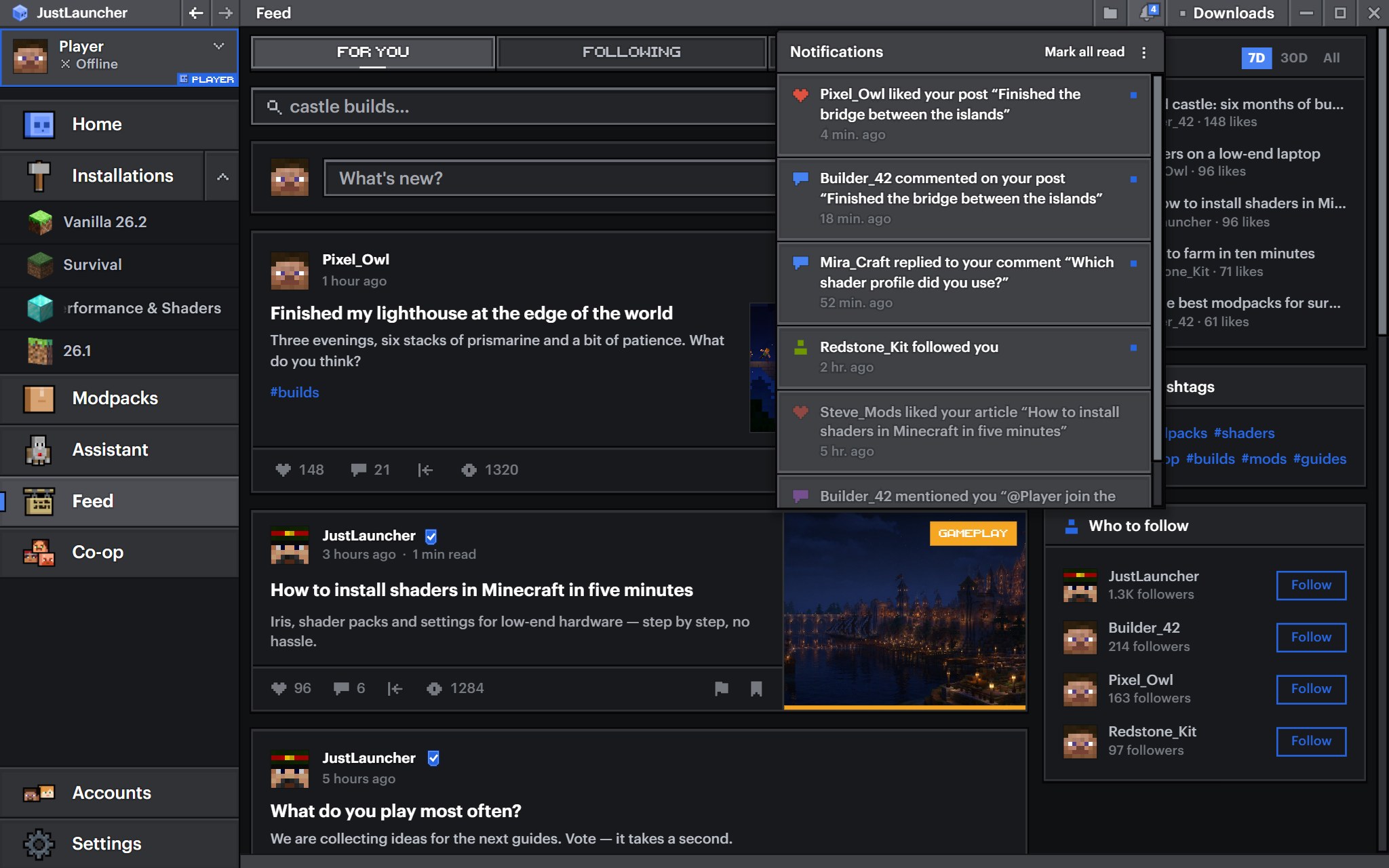
You decide which notifications you get: click the three dots in the notifications panel to open their settings. There you can turn off the ones you don't need, such as likes or new followers, and turn on email notifications.
Onboarding for newcomers (beta)
If you're opening the launcher for the first time, you no longer have to figure everything out on your own. On first launch, the launcher walks you through its sections: it highlights the right button and briefly explains what it's for. That's how it introduces accounts, installations, mods, modpacks and the feed.
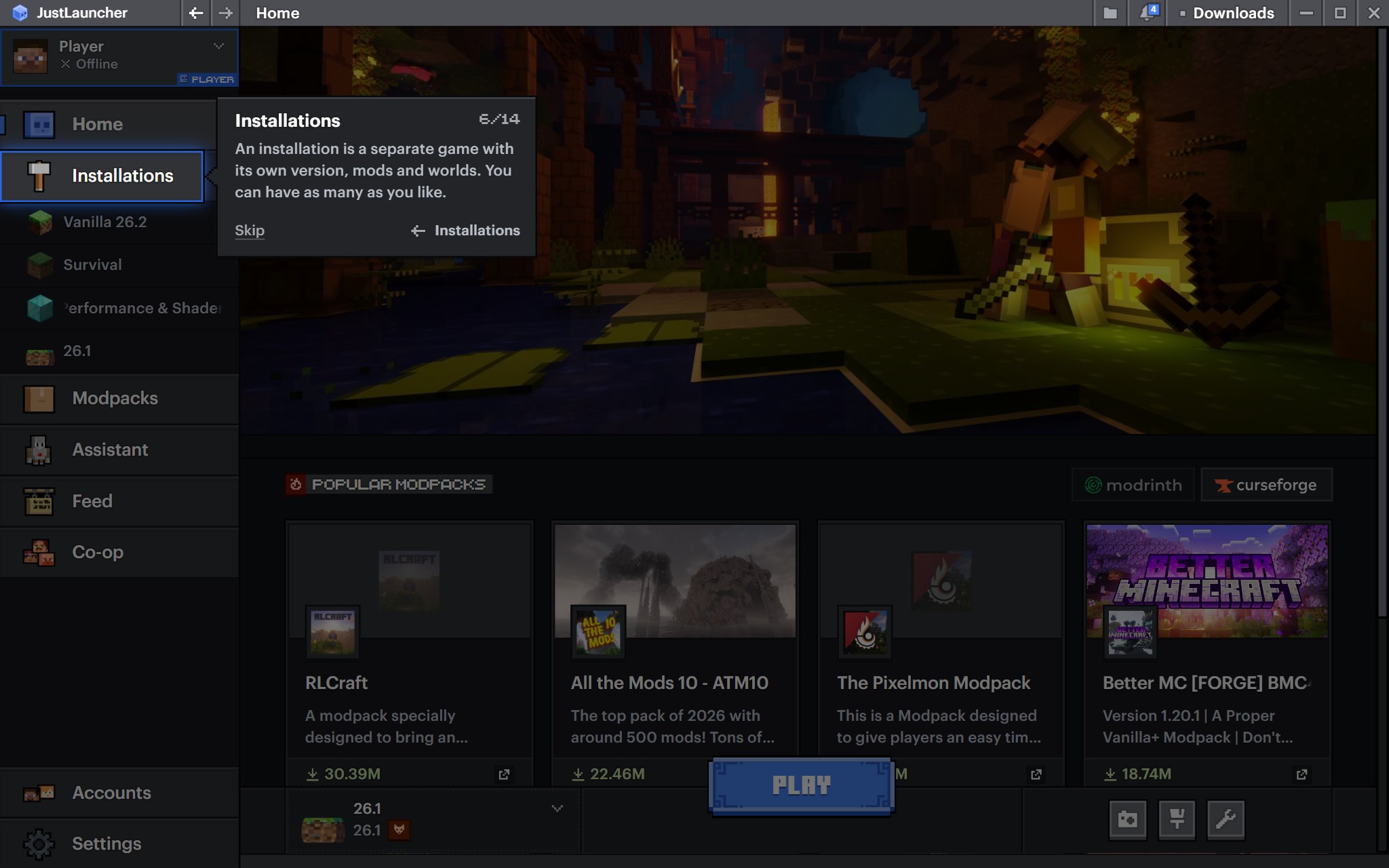
Onboarding is still in beta, and we'll keep improving it. If you want to go through it again, there's a "Take the tour again" button in the settings.
What else changed
- The feed looks the same as on the website, and articles appear alongside posts in "Popular".
- You can set a separate Java path for each Java version in the settings.
- Java arguments can be reset to their defaults.
- Categories in the mod, resource pack and shader filters are now translated into Russian.
What we fixed
- NeoForge is now downloaded.
- The game no longer crashes on startup if you set your own -Xmx in the Java arguments.
- CurseForge finds mod updates for versions before 1.13 again.
- The stable version is no longer marked as beta in the settings.
- Importing a modpack without mods now reports an error instead of creating an empty installation.
Website
The website got a few updates too.
- Notifications about follows, likes and replies now pop up in the top right corner. You can turn them off in Settings → Notifications.
- We added a Support Center with a help section.
- Your skin's head now shows next to your nickname in the header, and the account menu has a new "My skin" item where you can open and change your skin.
- We updated the skin change animation and profile editing.
- The feed now loads posts automatically as you scroll.
What we fixed on the website
- Images in posts are no longer cropped and can be opened full screen.
- A skin from the library is applied right away and no longer shows up in pieces.
- Buttons under posts and tabs on phones.
- The followers list no longer suggests following people you already follow.
- Copying a post.
- Tags are checked before publishing: an invalid tag is highlighted, and the post won't be sent until you fix it.
Update and try it yourself. And if you find a bug or have an idea, let us know in the comments under this article.
Follow us so you don't miss the next updates:
- Telegram: https://t.me/justlauncher
- VK: https://vk.com/justlauncher
- Discord: https://discord.gg/braGK8BXbk
Download JustLauncher
Discussion
No comments yet
Be the first to leave one