
Update 2.2 — Feed, co-op and skins
Articles, threaded replies in comments and polls in the feed, plus many launcher changes around skins and co-op play.
 English
This is one of the biggest feed updates since it launched. It used to have only posts. Now the feed can do much more, and the changes have reached both the website and the launcher.
Articles — when a post is not enough
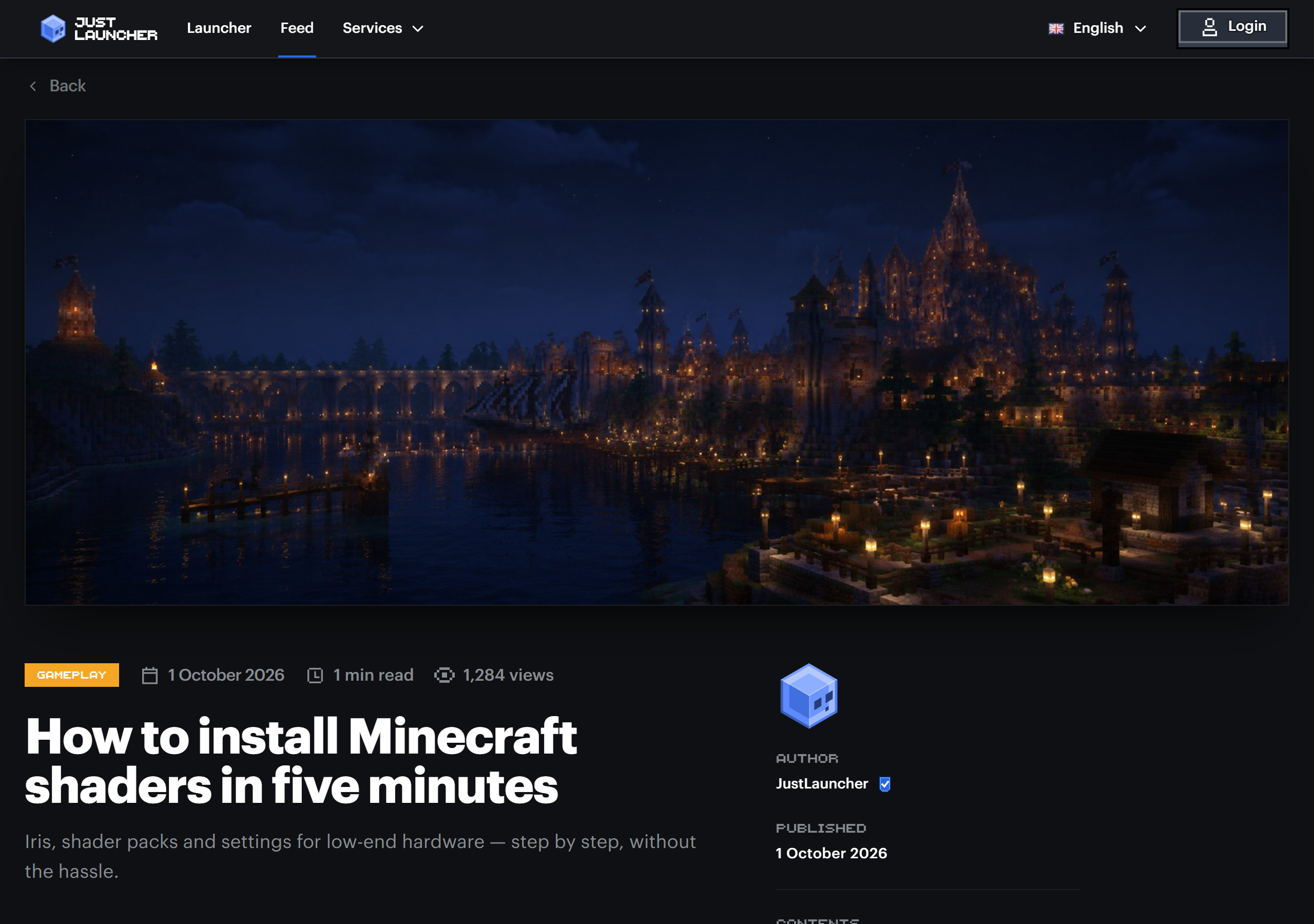
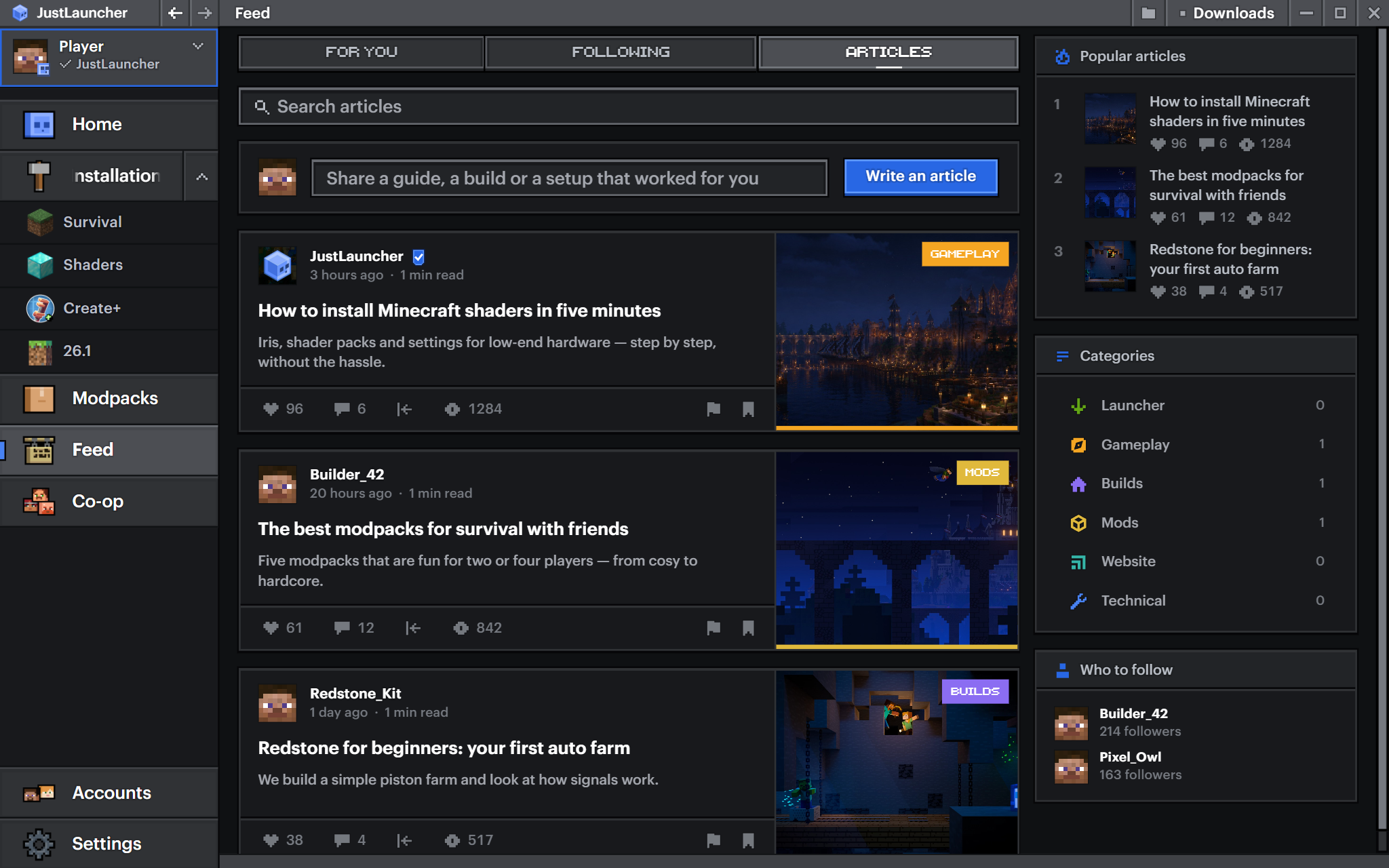
A post is great for showing a build or asking a question. But guides and reviews of big updates or modpacks do not fit into one. That is what articles are for — long reads with a cover, a table of contents, reading time and a category.
All articles live on a separate Articles tab in the feed, and fresh ones also show up in For you, right among the posts.
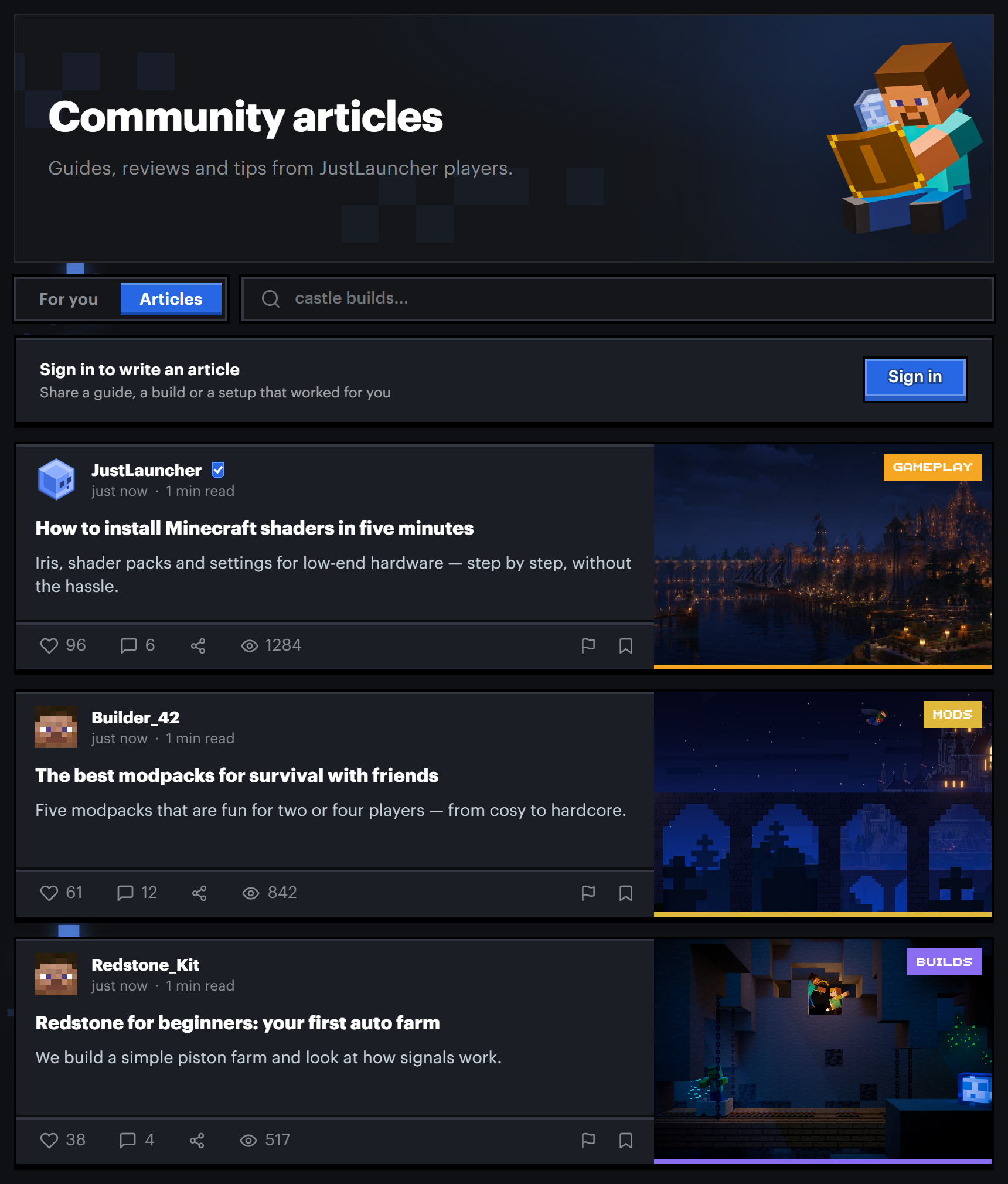
Anyone can write an article. Open the feed, go to the Articles tab and press Write. The editor shows right away how the article will look in the feed and in the Read next block.
Before it is published, an article is reviewed by the team. Edits to an article that is already out are reviewed separately.
Comments
Before, you could only reply to someone with a regular comment and a mention, and replies got lost in long discussions. Now every comment has a Reply button, and replies are gathered in a thread under it.
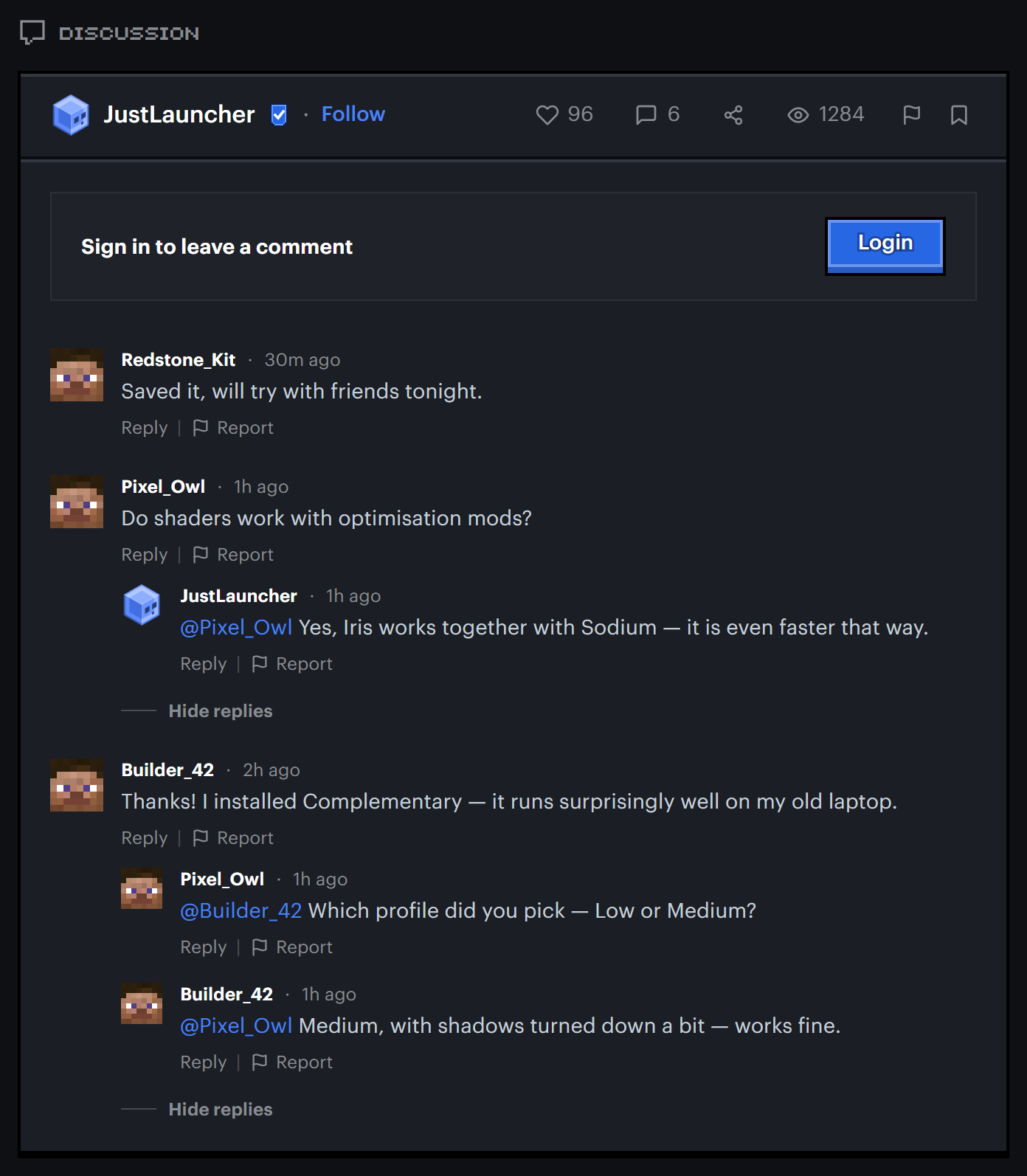
When someone replies to you, you get a notification. If a comment that already has replies is deleted, the thread stays. It works the same way in posts and in articles.
Polls
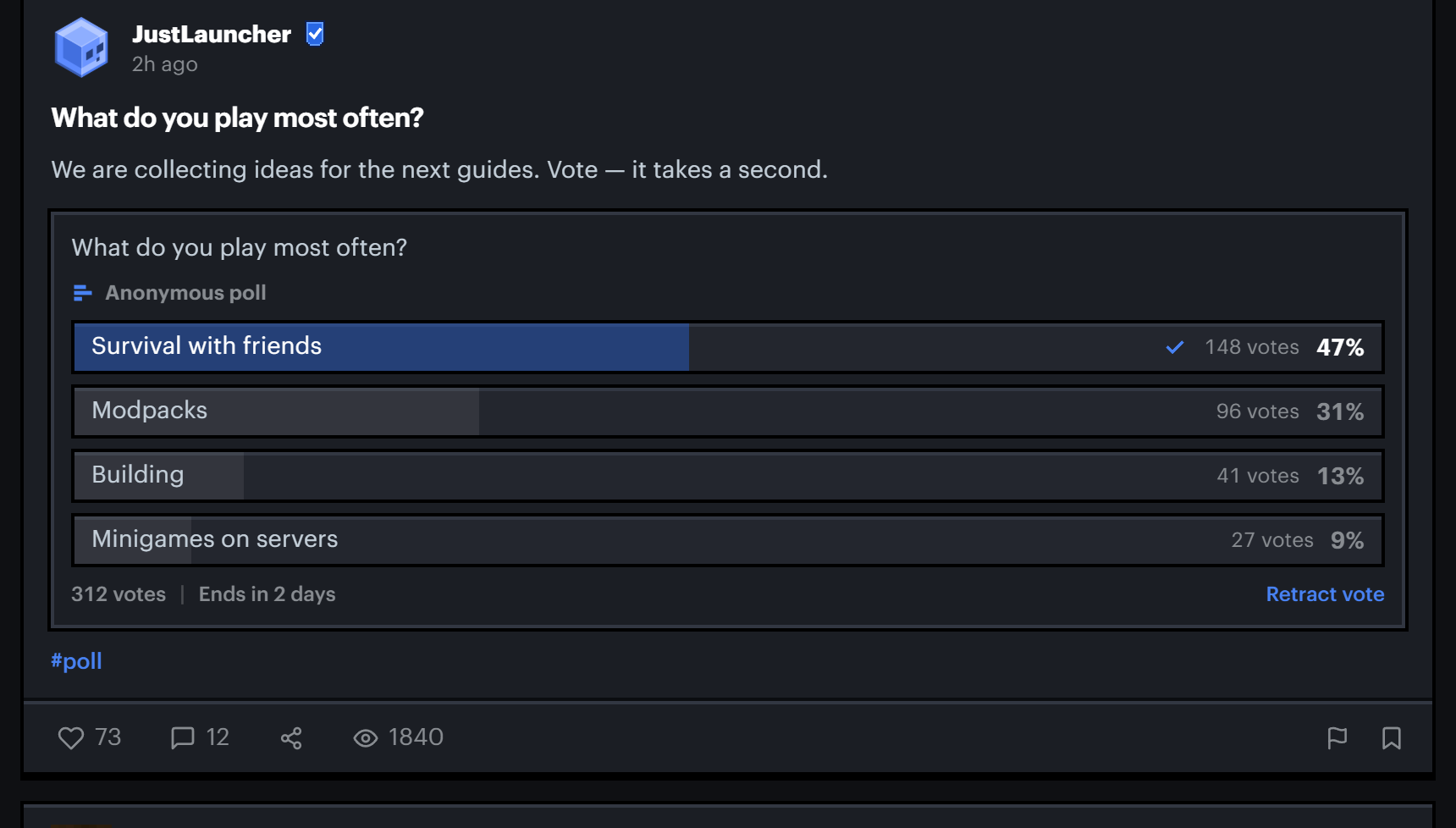
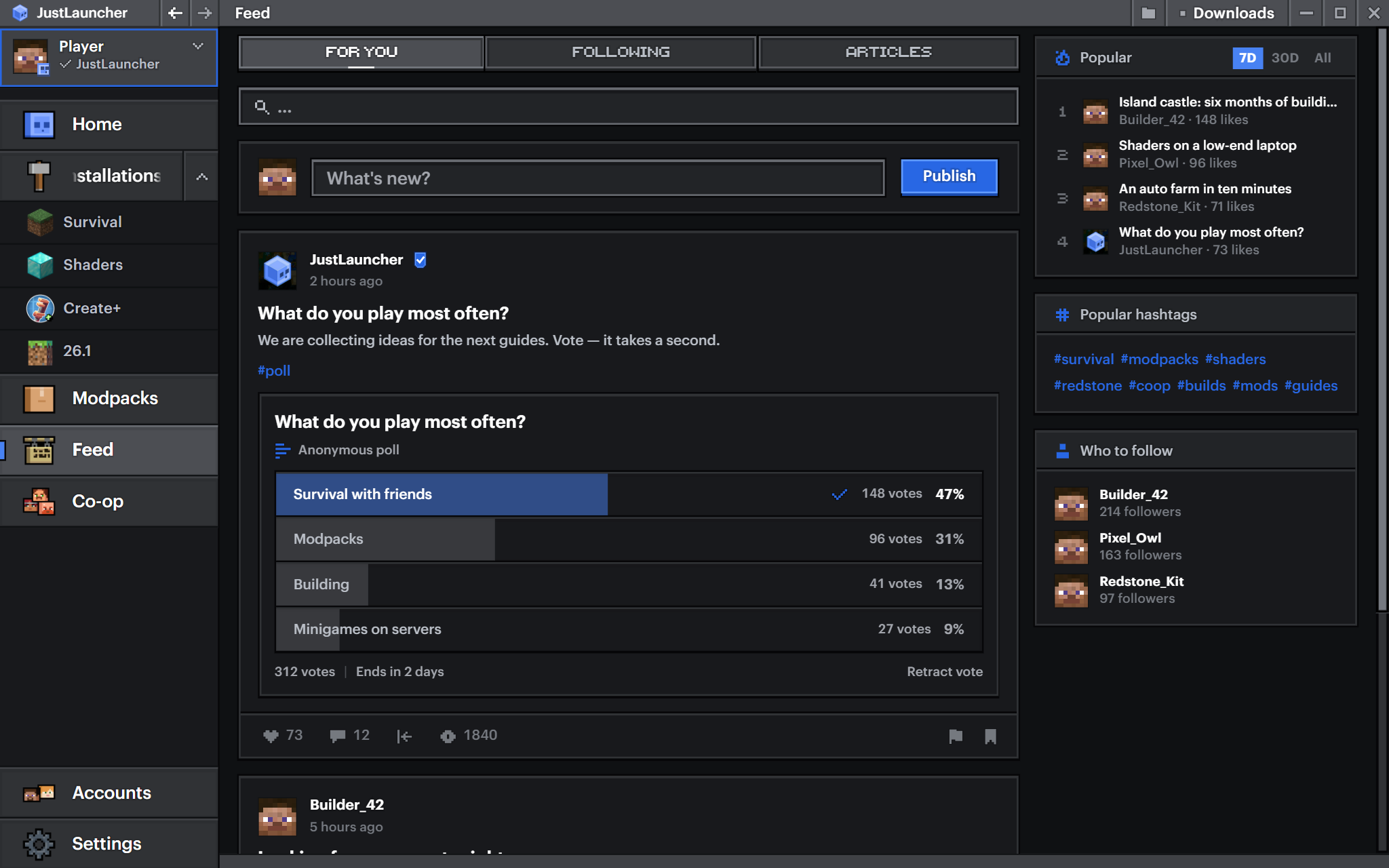
Posts now have polls. Add a question and answer options to a post and find out what the community thinks. A poll can be public or anonymous, with one answer or several. You can also set how long it runs — then it closes and shows the winner.
You can vote right in the feed and take your vote back if you change your mind.
Co-op invites
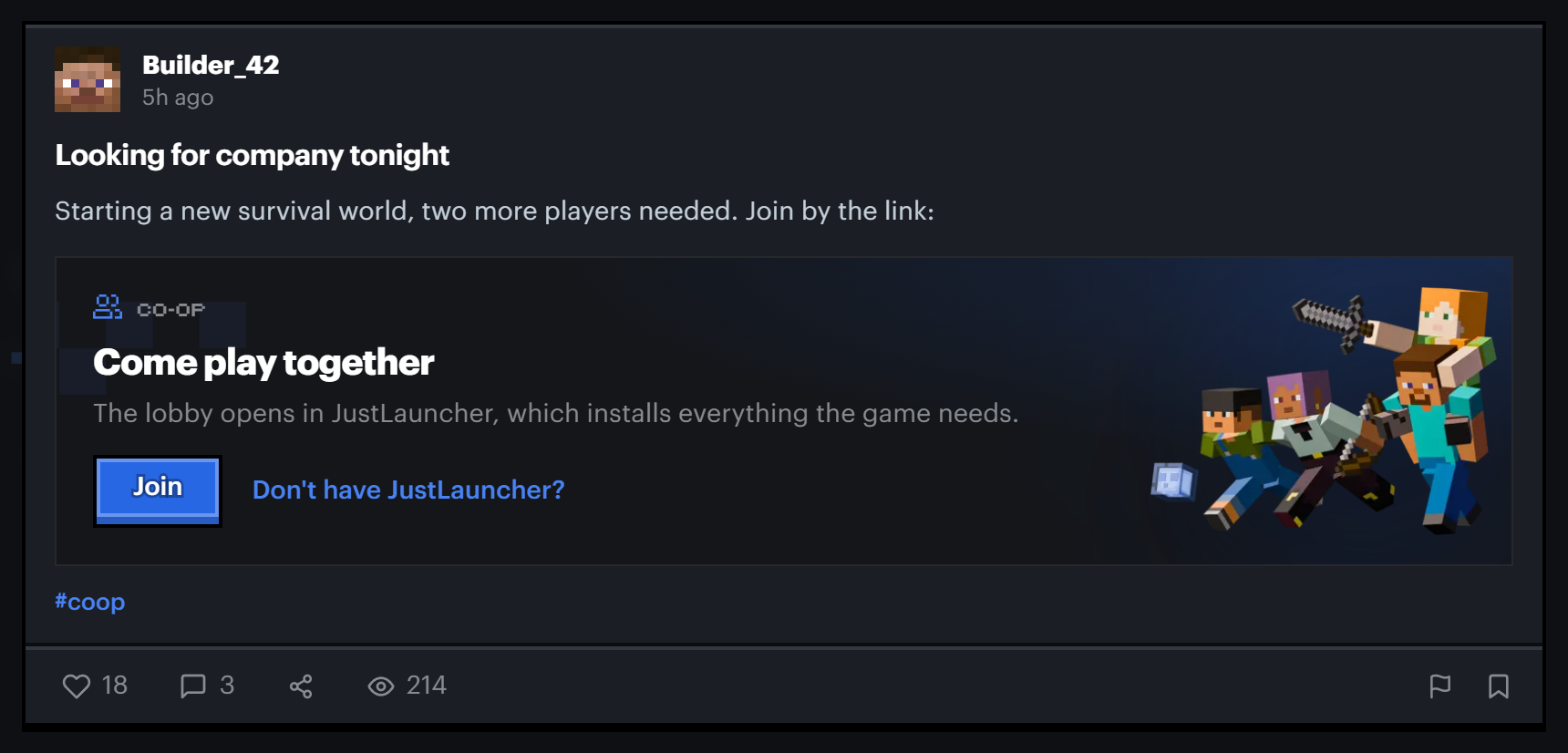
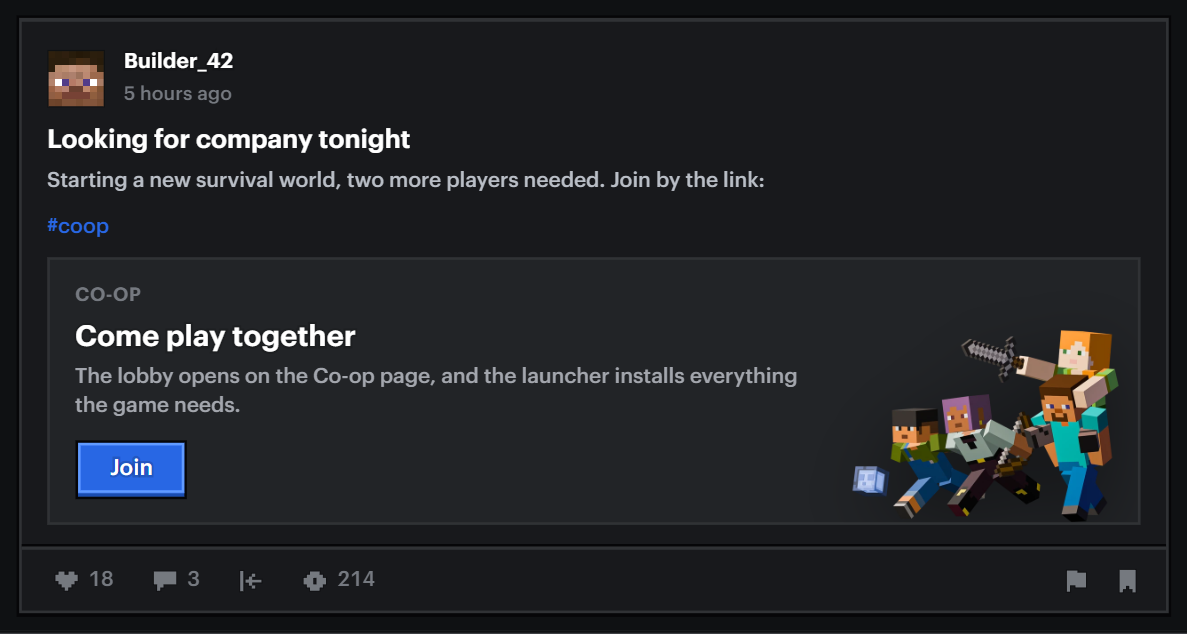
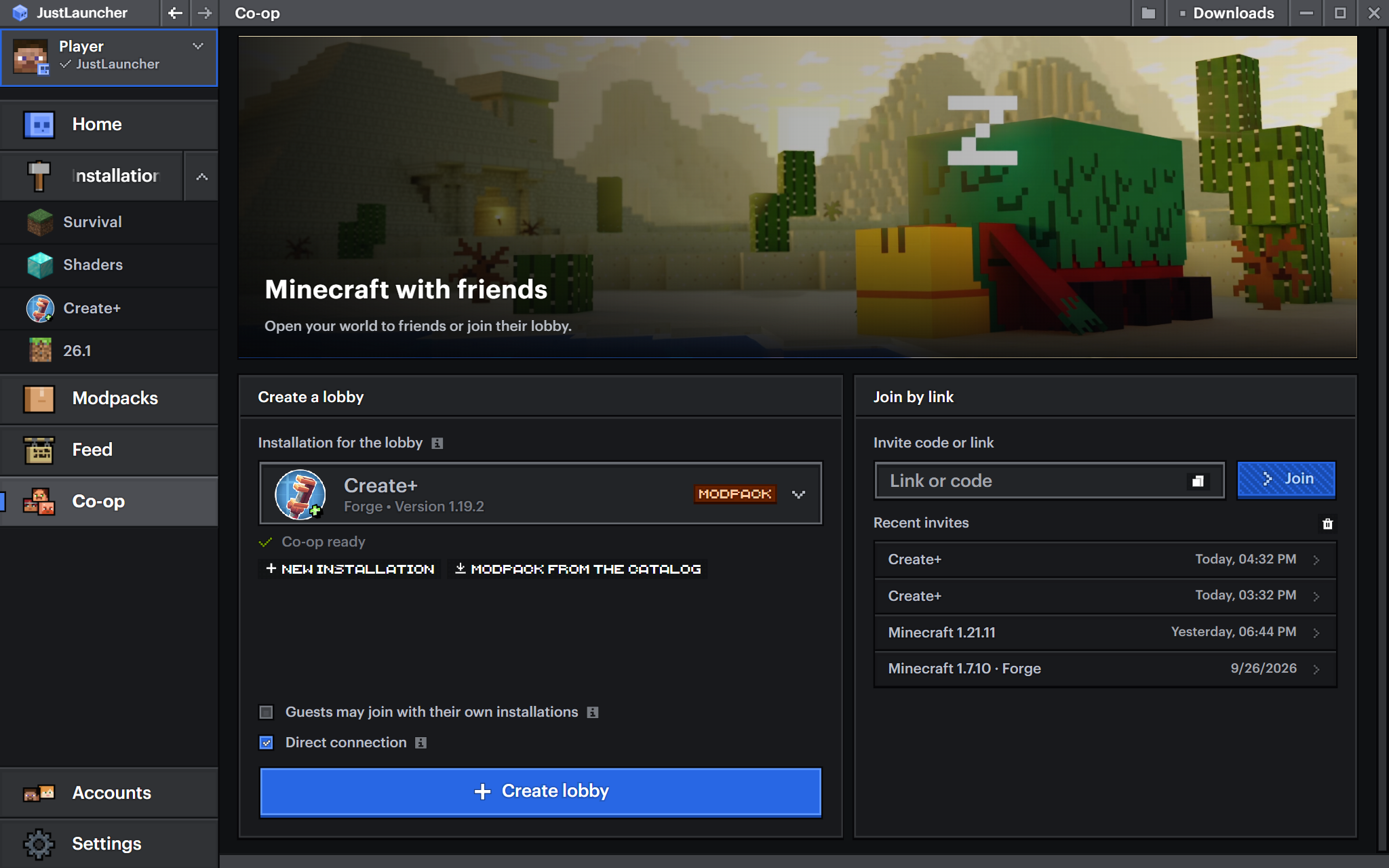
Inviting friends to a game is easier now. Paste an invite link from the Co-op section into a post and it turns into a card with a Join button. One click, and the lobby opens in the launcher, which installs everything the game needs.
In the launcher the card looks the same and works right from the feed.
Feed and profile
Saved now has All, Posts and Articles sections, so the bookmark you need is easier to find. Popular in a profile shows both posts and articles by the author. Feed tabs switch more smoothly, and the text in the new post window looks the same as in a published post.
One more addition — a banner editor has appeared in the Services menu.
And a few more changes on the website.
- News about Minecraft updates from 1.12 to 1.20 has moved to the feed — these are now articles from the official account.
- You get a notification when edits to your article are approved or rejected.
- Comments under a post now load all at once, without jumping.
- My articles now has search and tabs, like the feed.
- The editor checks that the title, description and text are written in the language of the selected version.
Launcher 2.2
Everything that appeared in the feed on the website is in the launcher too — articles, polls and comment threads.
The main news for those who play with friends is direct connection in co-op. It lowers the ping between players, and the lobby now shows how you are connected and who the host is. The Co-op section itself has a new design.
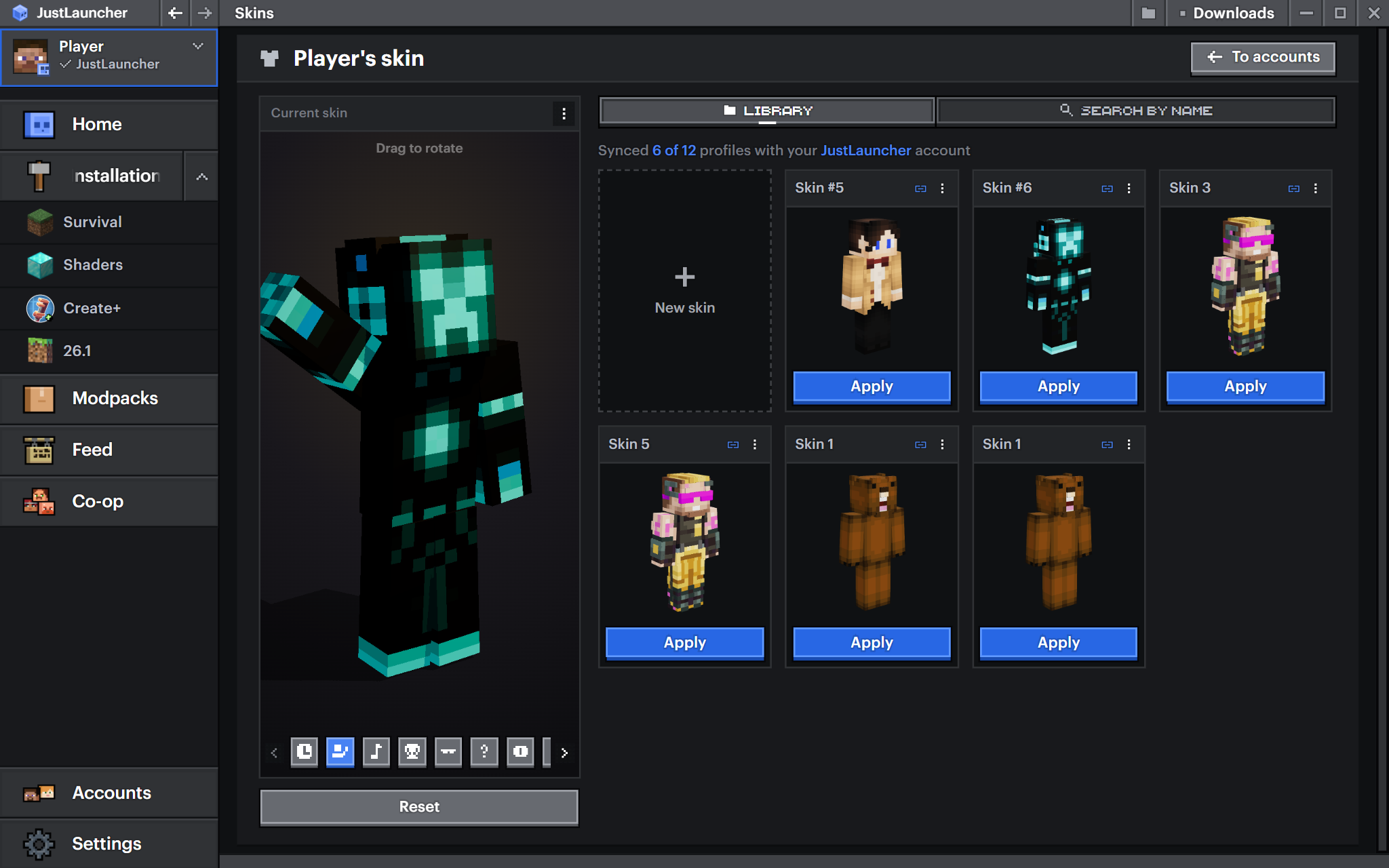
Skins look better too. When viewing a skin you can pick a pose, and its look can be adjusted in the appearance settings. Offline accounts now show the skin of the JustLauncher player.
What else changed in the launcher
- On install the launcher now picks the system language.
- The system proxy can now be turned off in the network settings.
- The launcher uses less memory.
- A new animation for choosing an installation on the home screen.
- New icons for the theme colours.
- News is temporarily hidden from the launcher home page — it is moving to the feed as articles.
What we fixed
- Launching on some Linux distributions.
- Links from a running Minecraft open again.
- Installing some Fabric versions.
- An offline account no longer disappears when you add a JustLauncher account.
- The + and − buttons in number fields now save the value.
- Launch arguments are no longer lost when Minecraft starts.
- Hashtag search in the feed.
- The feed now works without signing in to a JustLauncher account.
- Lines from the console can now be copied.
- If the JustLauncher sign-in is lost, you can now sign in again.
- When you rename an installation, its game folder now moves with it.
- Font size selection in the appearance settings.
Update and try it yourself. And if you find a bug or have an idea, write in the comments under this article.
Download JustLauncher
Discussion
No comments yet
Be the first to leave one