
Minecraft Java 26.4 Snapshots
The first 26.4 snapshots already bring Ice Caves, icicles and a new frost mob, the Frostbite, and the Friends List gets a new look.
 English
The next game drop is still in development, and over the first two weeks, from September 22 to October 6, 2026, Mojang released just three snapshots and showed only part of what it has planned in them. The frost additions arrived only in the third snapshot, the one shown at Minecraft LIVE. Before that the changes were mostly technical and graphical. The changelogs do not list a name or a release date yet, and the contents of the update may still change. So treat this article as a snapshot of what is known today; by release we will add to it and rewrite whatever changes along the way.
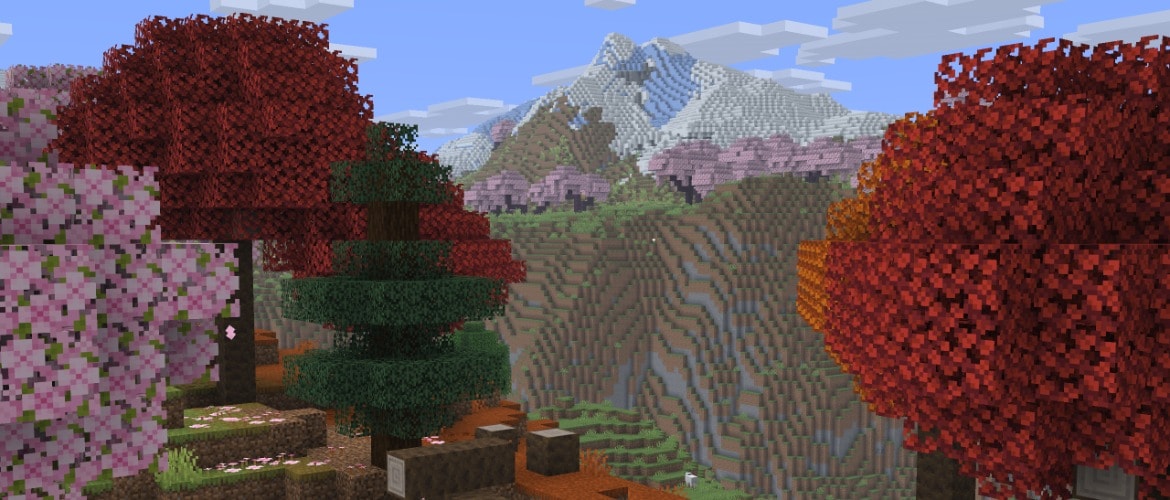
Ice Caves
The Ice Caves are the winter drop's new cave biome. They form beneath the cold biomes of the Overworld, so look for them in snowy, frozen country rather than just anywhere. They are built mostly from packed ice  and calcite
  , with patches of snow
  here and there on the floor. Ore hides in pockets of stone
  and deepslate
  , so it is well worth heading down here for resources. Glow lichen
  , familiar from other caves, does not grow in this biome, so you will have to light your own way.
You can mine the same ores here as in ordinary caves, diamonds and iron included, and the ore never sits inside the ice. The Ice Caves are not home to the usual cave dwellers alone. Strays  and Frostbites turn up here too, so you should not head down without armor and a stock of food. Icicles hang thick from the ceiling, and large icicles of packed ice sit on the floor and under the ceiling, easy to blunder into in the dark. Now and then ice crystals grow on the ground, much like amethyst clusters. They give off light and can be placed facing any direction, and they break if you remove the block holding them up. Ice crystals light up a cave that has no glow lichen. The icicles themselves resemble pointed dripstone
  and sulfur spikes
  , and they behave much the same way.
How icicles behave
An icicle pointing downward can grow up to five blocks long, but only where there are no light sources nearby, and never in the Nether. You can place one facing any direction, and it has a base, a middle and a tip, so icicles get used in decorative builds too. Just remember that this is no harmless ornament. A falling icicle hurts creatures, and anyone it lands on takes extra damage on top, so walking under a ceiling of icicles is dangerous. If a light source appears nearby, or if you place an icicle in the Nether, it breaks.
Frostbite
The Frostbite is a Zombie  variant that has adapted to the cold and learned to hurl ice balls. It makes its home in cold and icy biomes, Ice Caves among them. Up close the Frostbite inflicts Freezing on the player, and from a distance it pelts you with ice balls; which one it picks depends on how far away the target is and on whether it has any ice balls left. You will not manage to keep a Frostbite at one steady range.
Habits and transformations
It stands calmly on powder snow  , never freezing and losing no speed to the snow itself or to the Freezing effect. If a Frostbite spends too long underwater it turns into an ordinary Zombie, which you can use to your advantage by driving it into a pool. Zombies and Husks
  that end up in powder snow become Frostbites themselves. On death the Frostbite drops rotten flesh
  and ice balls. It is the ice balls people hunt it for: without them you can brew neither Freezing potions nor arrows.
Freezing and the Ice Ball
The Frostbite brought the Freezing effect into the game with it. A player under this effect shivers, takes damage over time and slowly freezes over, as though standing in powder snow. Leather armor  softens the effects of Freezing, just as it does in powder snow. It does not stop the effect from being applied, and it does not remove it.
How Freezing hits mobs
Freezing is dangerous to more than just players. Mobs it acts on take extra damage from it, and those among them that are vulnerable to Freezing take five times as much of that damage. Freezing potions and arrows let you lay the effect on a target in advance and strengthen whatever blow comes next.
The ice ball
The ice ball is the new projectile the Frostbite uses. It deals 4 damage and knocks the target back, and the slower the ball flies the weaker the hit, so a throw from far off lands softer. On striking a block or a creature the ball shatters, throwing off particles and a sound.
Freezing potions and arrows
From these you brew a Freezing potion  , a splash potion
  and a lingering potion
  of Freezing, so the effect can be turned against your foes. A Freezing arrow
  is put together at a crafting table: a lingering potion of Freezing goes in the center, with eight arrows
  laid out around it. An arrow like that is handy for freezing a target at range.
The New Friends List
The Friends List got a noticeable overhaul in 26.4, and it is the snapshots' second big theme after the Ice Caves. It has a fresh look, and searching and sorting your friends is easier now, which tells most when the list runs long. The box where you type a name to send a friend request now doubles as a search bar, and on the requests tab such a bar appears on its own once you have 15 requests or more.
Sorting
You can arrange friends by online status or alphabetically, and a new button switches between the modes. In the status mode everyone who is currently online rises to the top of the list, which makes it easier to see at a glance who you can play with right now, or to find a familiar name quickly when you have a lot of friends.
Player Options
Clicking a player's icon in the list opens Player Options, the screen that almost every action for a particular person has moved to. From here you send or cancel a friend request, accept or decline someone else's, mute a player or report them. The old Remove Friend button is gone from the list; that action has moved into Player Options too. A muted player's messages disappear from chat until the next time you launch the game, and you can block a player in the Other Players section, covered further down.
Visibility
The Visibility option has moved out of the network settings and straight into the Friends List. The friends button got a new icon while they were at it.
The Other Players Menu
The new Other Players menu takes over from the Social Interactions screen. As before, the menu lets you keep an eye on the players in your world. It works only in a world open to the network, that is, a singleplayer world with LAN access, a dedicated server or Realms. You open it with a button in the pause menu or with the P key by default, and the icons in the pause menu are now laid out the same way as in the main menu.
In Other Players you see those who are in the world right now, along with those who have just left or written in chat recently. This lets you, for instance, report a recent message from a player who is already offline. Clicking a player's icon here opens their Player Options as well, so both screens lead to the same set of actions.
Report drafts
The screen that holds a report draft was reworked at the same time. A report about a name or a skin can now be set aside and finished later, and if the offender is on your friends list, the game no longer offers to delete the draft when you leave the world; it keeps the draft until you return. A chat report, on the other hand, cannot be carried on: you have to file it in one go. And if you pick Quit Game in the main menu with an unsent report draft still open, the game warns you about it.
Graphics and Debug
The first snapshot made Vulkan the default graphics API, and that is one of the drop's main technical changes. The Default value now behaves like Vulkan, and the game no longer switches this setting on its own, even after a crash at startup. If something is wrong with Vulkan on your system, you can still change the graphics API by hand in the settings.
Sky and fog
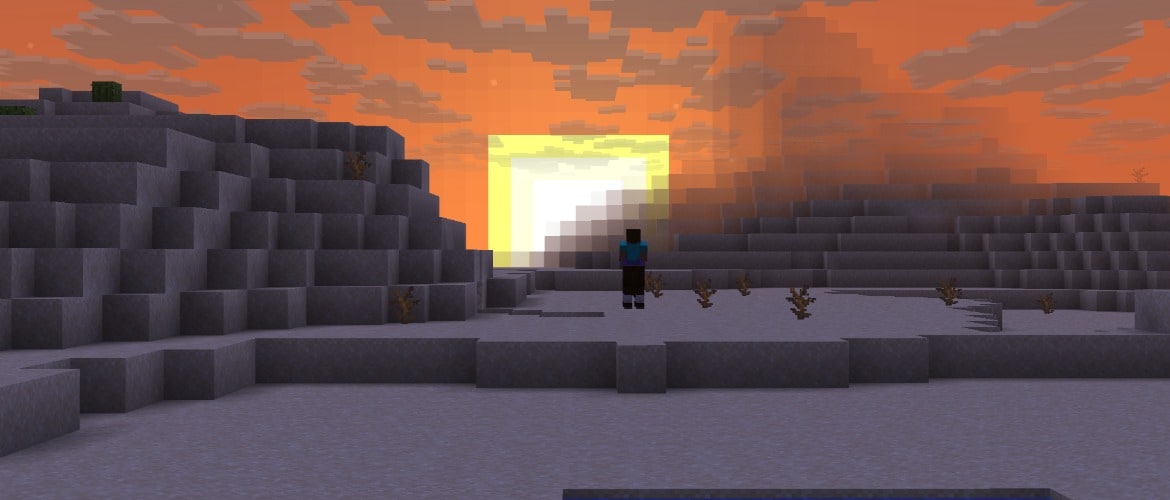
The snapshots changed how the sky is drawn at the horizon. With Enhanced Transparency turned on, the sky and clouds behind the terrain blend into the fog at the edge of the render distance, and the line between sky and land disappears; far off, everything merges smoothly, with no hard seam. And in the Overworld the bottom half of the sky now hides the sun, the moon and the stars, so they no longer shine through from below the ground. Both changes affect only how the sky looks and do not touch gameplay.
The debug screen
The F3 debug screen was reworked to read more easily. The Lightmap is now switched on in the debug options and shown next to the FPS and network graphs. A readout for the render status of the surrounding chunks was added too, and the chunk-loading readout was split out on its own. The status display does lower performance at a long render distance, though, so there is no point keeping it on all the time.
Other Changes
Beyond the Ice Caves, the snapshots brought a handful of small but useful tweaks. There are always a dozen or so of these, and they are easy to miss in a long changelog.
Worlds and generation
Old worlds created before the Caves and Cliffs update will get sulfur caves beneath their existing chunks when they move to the new version, so you can dig down to them even in a world you have long since settled.
Blocks and mobs
Red mushrooms  and brown mushrooms
  can now be placed on any block with a solid top face and at any light level, where the light rules used to be stricter. Spreading, though, still happens only at a light level below 13, or on a block for which that limit does not apply. Snow can now be laid on packed ice too, handy in the Ice Caves, and snowballs have learned to knock players back, so you can no longer call the projectile harmless.
Fixes
The snapshots fixed a long-standing bug that made the player and mobs bounce on their own at the edge of water and against a wall in water. They also fixed a fault that capped the frame rate at 20 FPS on Vulkan on some systems.
For Servers and Data Pack Authors
Data packs now use version 123.0 and resource packs version 100.0. Old packs have to be updated to match.
The network protocol gained the minecraft:mod_list packet. It tells the server about the client's mods and is meant to make debugging easier. A server address can now carry parameters after a ? sign, as ordinary web addresses do. Dedicated server settings gained three new fields named allowed-connection-ids, status-contact-details and enable-legacy-status. The first limits who can connect at all, the second sets the server owners' contact details, and the third turns the old status-and-ping protocol on or off. The fillbiome command now sets a biome with block-level precision, rather than in whole sections as before.
For data packs
Data pack authors get the minecraft:block_sound_set registry, which describes sounds for different categories of blocks, the ice_cave_gradient noise, the ice_cave_ore_* ore placements and the ice_cave_ore_replaceables tag. All of this drives the new Ice Caves and lets you build similar biomes yourself. minecraft:speleothem_cluster gained a placement_options field, and minecraft:large_speleothem was renamed to minecraft:large_dripstone. The default_block field was removed from the noise settings, and air is now always used by default.
There are surely more snapshots ahead. As soon as 26.4 is released officially, we will come back to this article and rewrite it for the release version.
Download JustLauncher
Discussion
No comments yet
Be the first to leave one